

/ command palette.
Main chat screen
Streaming insights
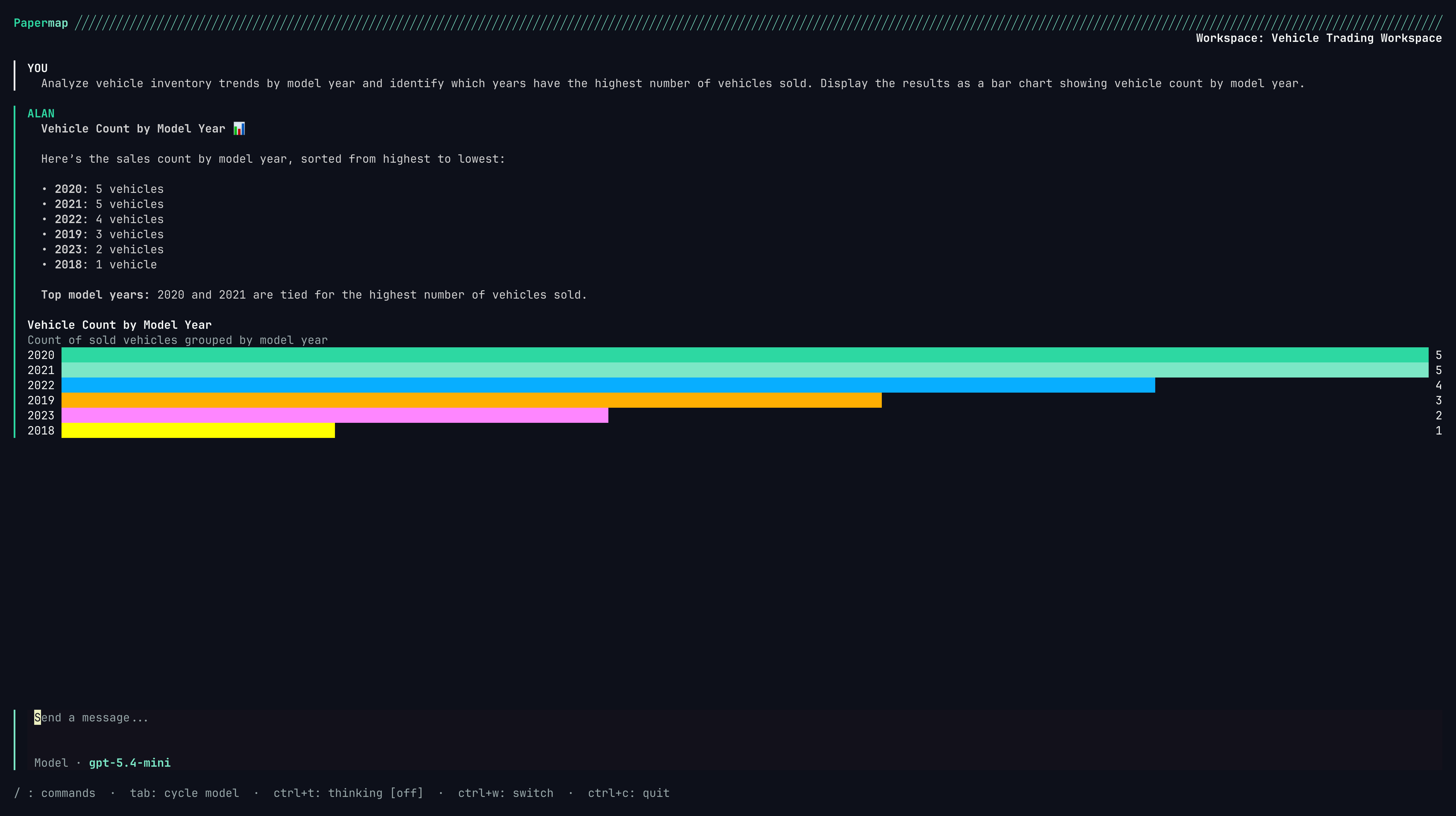
Ask questions and watch Papermap stream progress, reasoning, charts, and final answers into the transcript.
Enter. Papermap sends the prompt to the active workspace and streams progress into the transcript.
Examples:
Essential shortcuts
Command palette
Command palette
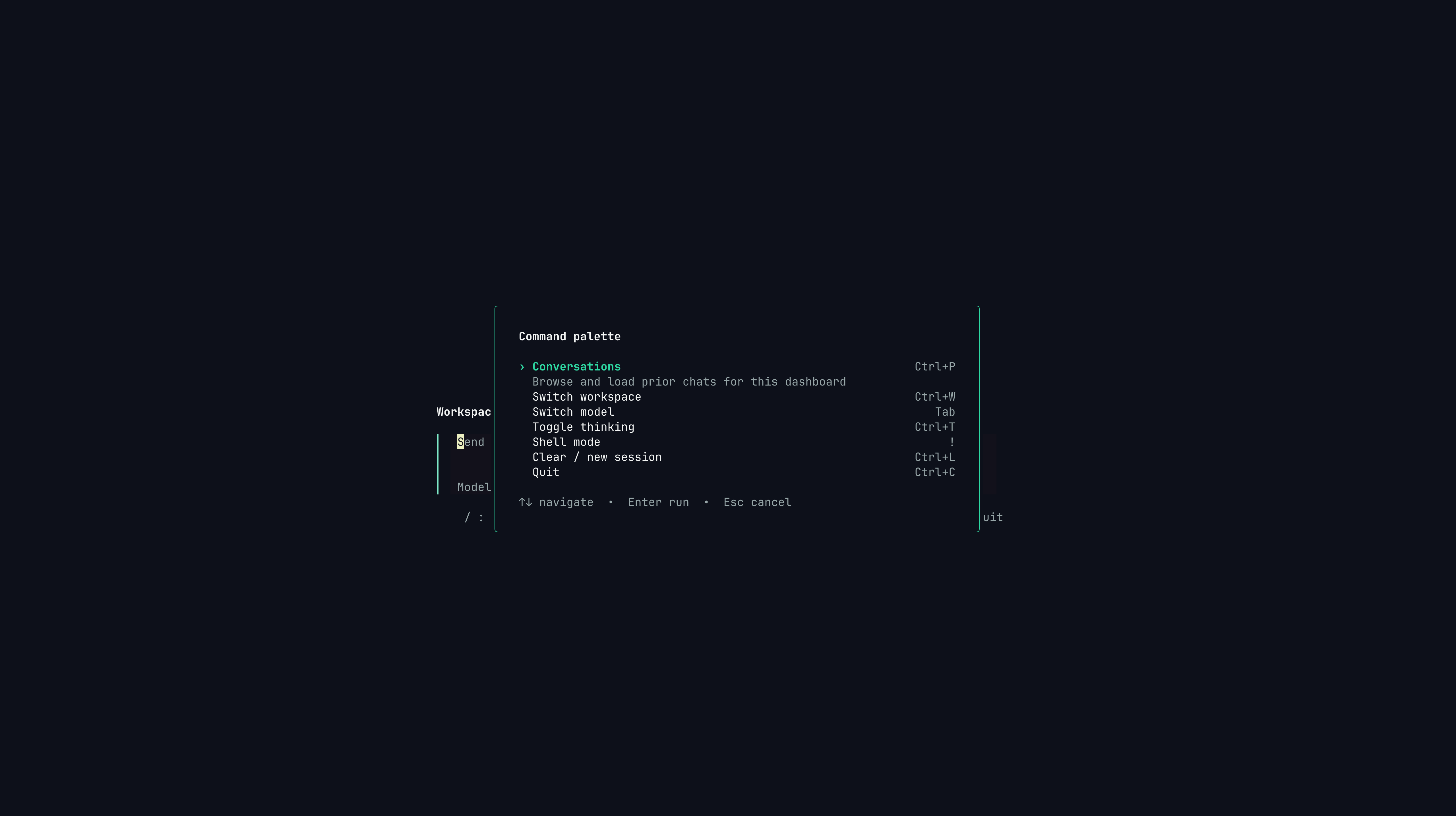
Use / to discover core actions without memorizing every shortcut.
/ from an empty prompt. It exposes the main actions in one place.
Use arrow keys to move,
Enter to run the highlighted command, and Esc to close the palette.
Streaming and cancellation
While an insight is running, the transcript can show a live status line, a pending assistant response, reasoning events, tool lifecycle events, and final output. UseEsc to cancel an in-flight insight. The TUI tears down the local stream and asks the backend to cancel the run.
If backend cancellation fails after local cancellation succeeds, Papermap shows a non-blocking notice. Your terminal session remains usable.
Thinking traces
Thinking traces show the assistant’s reasoning and tool activity. Toggle them withCtrl+T.
You can set the default in
~/.papermap/config.yaml with show_thinking: true. See Configuration.
Conversations history
Conversation history
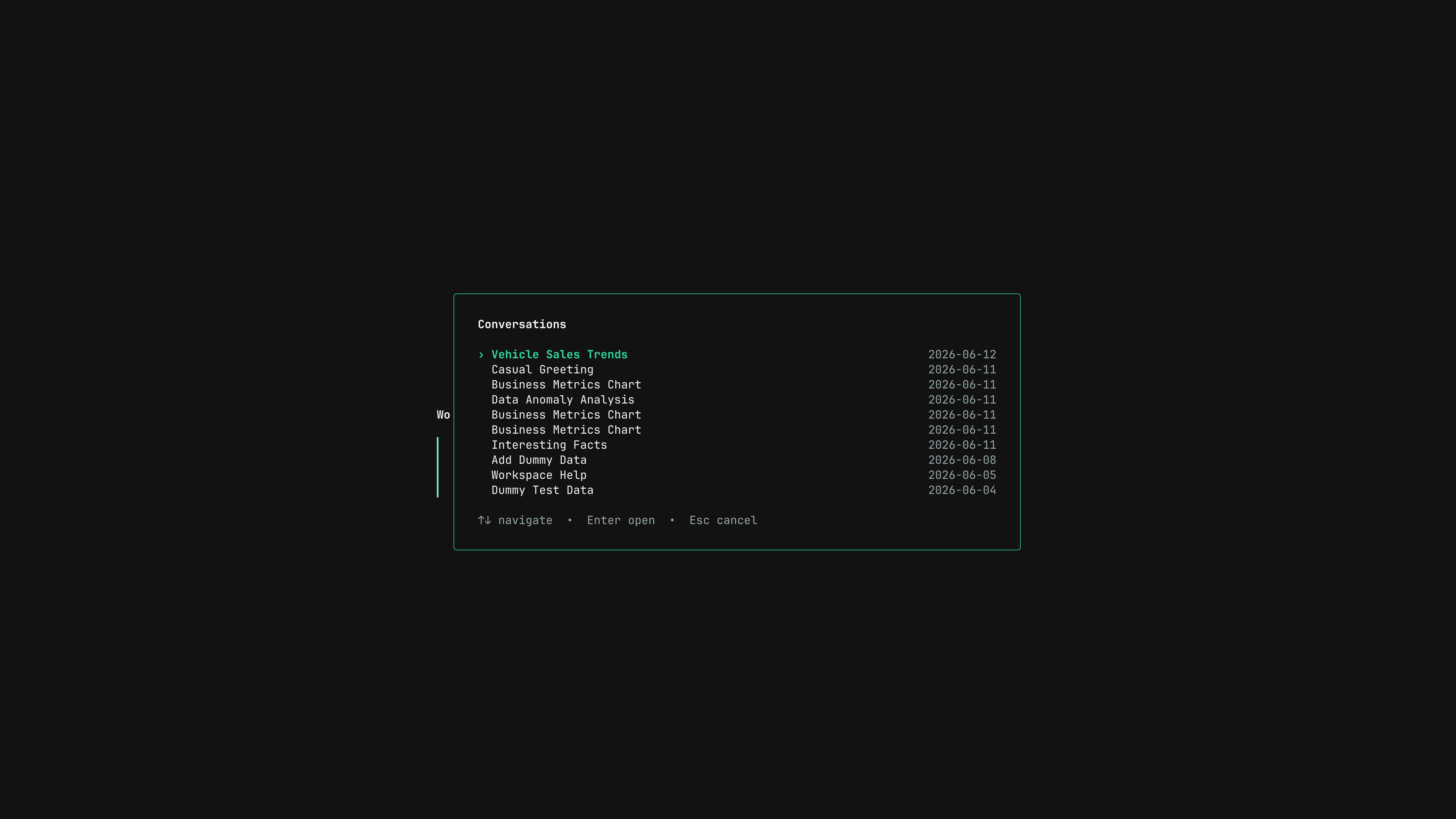
Use Ctrl+P to reopen previous chats for the current dashboard context.
Ctrl+P. The overlay loads previous chats for the current dashboard and fetches more pages as needed.
If you move past the bottom and more pages exist, the TUI loads more conversations automatically.
Model switching
Model picker
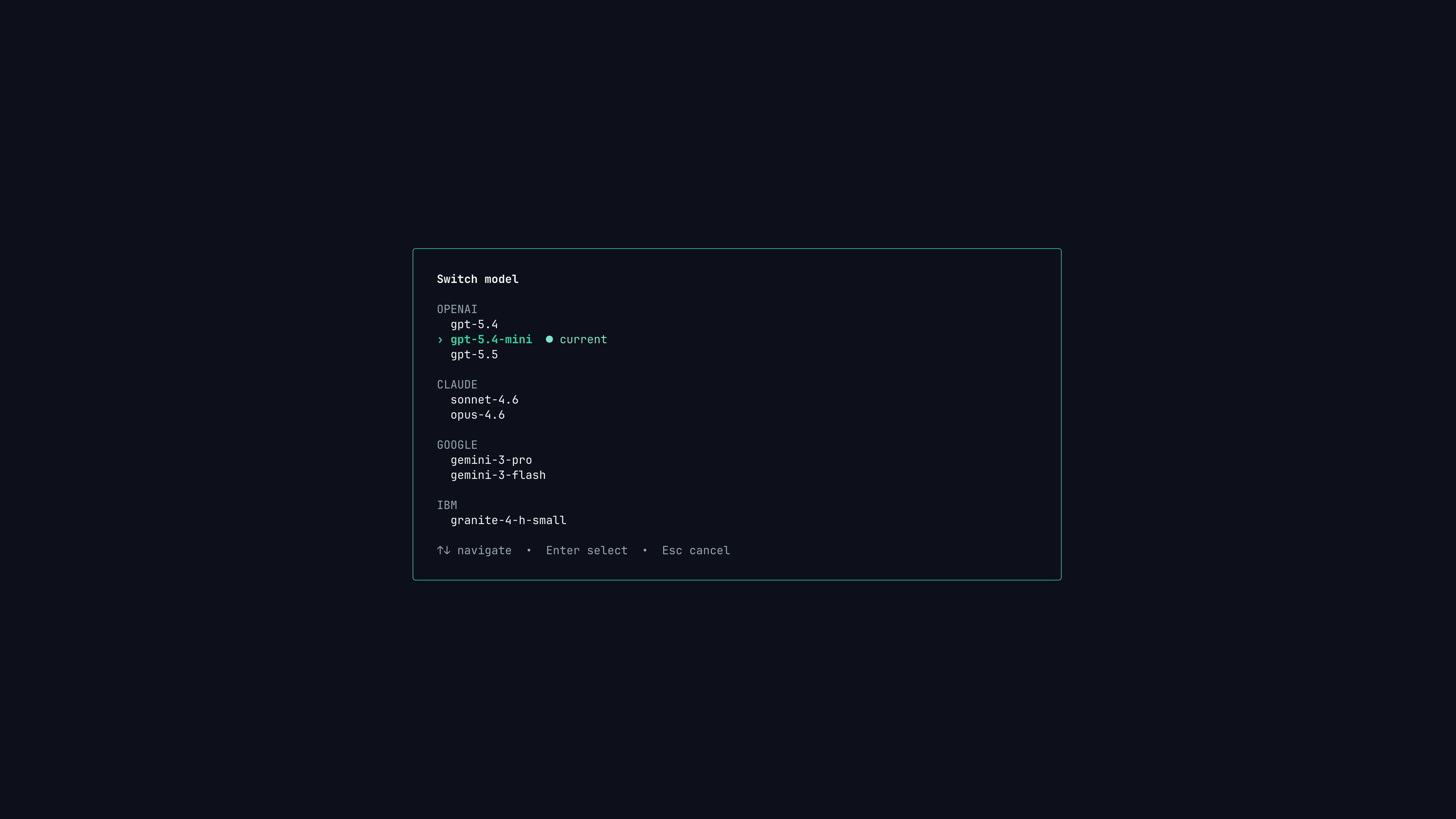
Switch models from the command palette or cycle quickly with Tab.
Tab to cycle through available models. Use the command palette’s Switch model command when you want a visible picker.
The selected model appears as a badge in the input area and is persisted in your config.
Shell mode
Shell mode
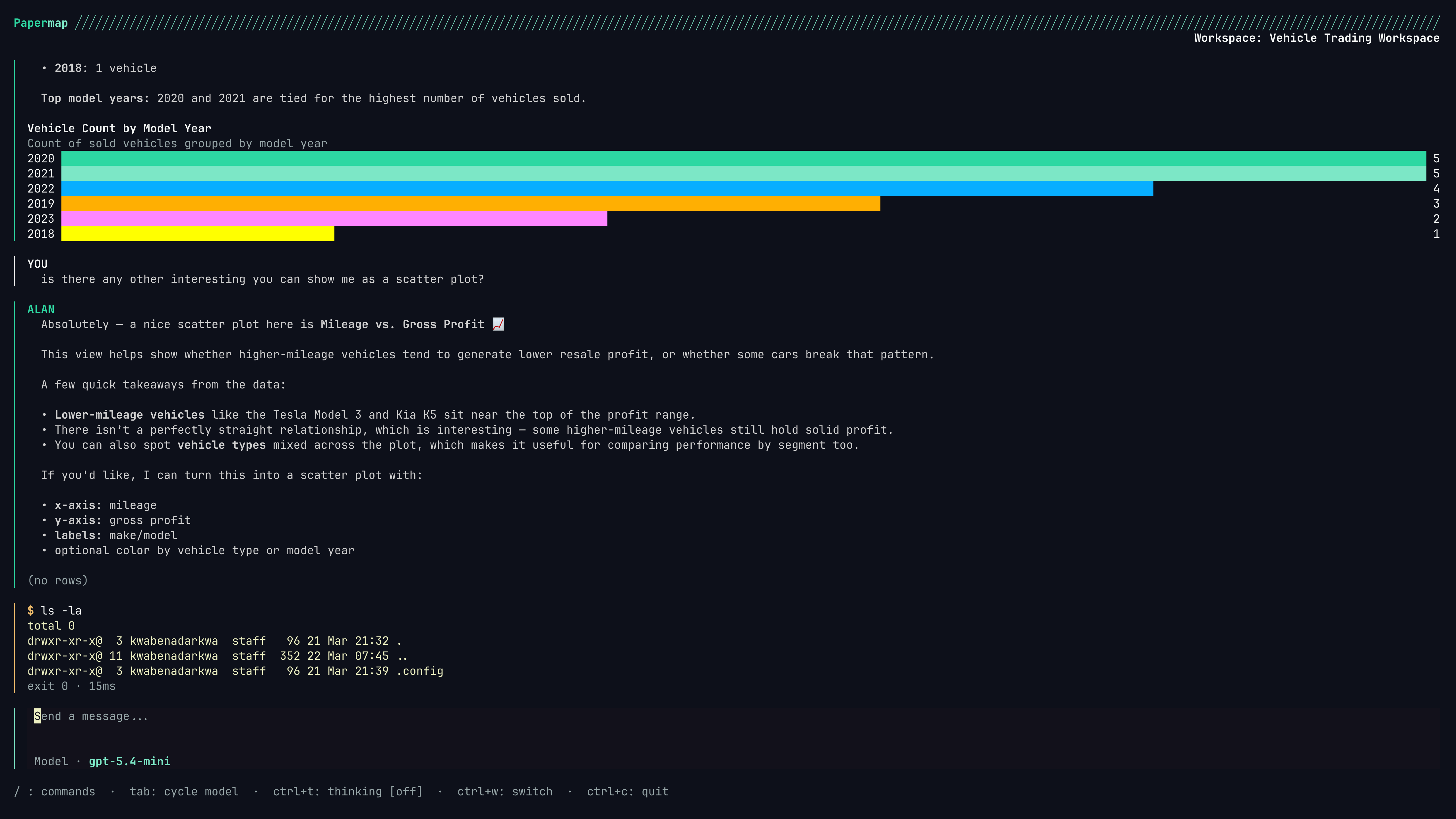
Start an empty prompt with ! to run a one-shot command and keep the result in the local transcript.
! at the start of an empty prompt, enter the command, then press Enter.
Scrolling and selection
Use scroll keys while reviewing long responses.
You can drag over transcript text with the mouse to copy a selection to the clipboard. After release, Papermap shows a success toast and clears the highlight. Press
Esc to clear an active selection without copying.
Tool confirmations
Some privileged tool actions can require confirmation. When Papermap needs approval, the TUI opens a modal with the action description, available choices, hotkeys, and an optional countdown. UseTab, arrow keys, h, or l to change focus. Press Enter to choose the focused action. Press an action hotkey when shown. Press Esc to dismiss when the modal supports dismissal.
Next steps
Workspaces
Switch, search, create, list, and cache Papermap workspaces from the terminal.
Troubleshooting
Fix common login, shell, workspace, and session issues.