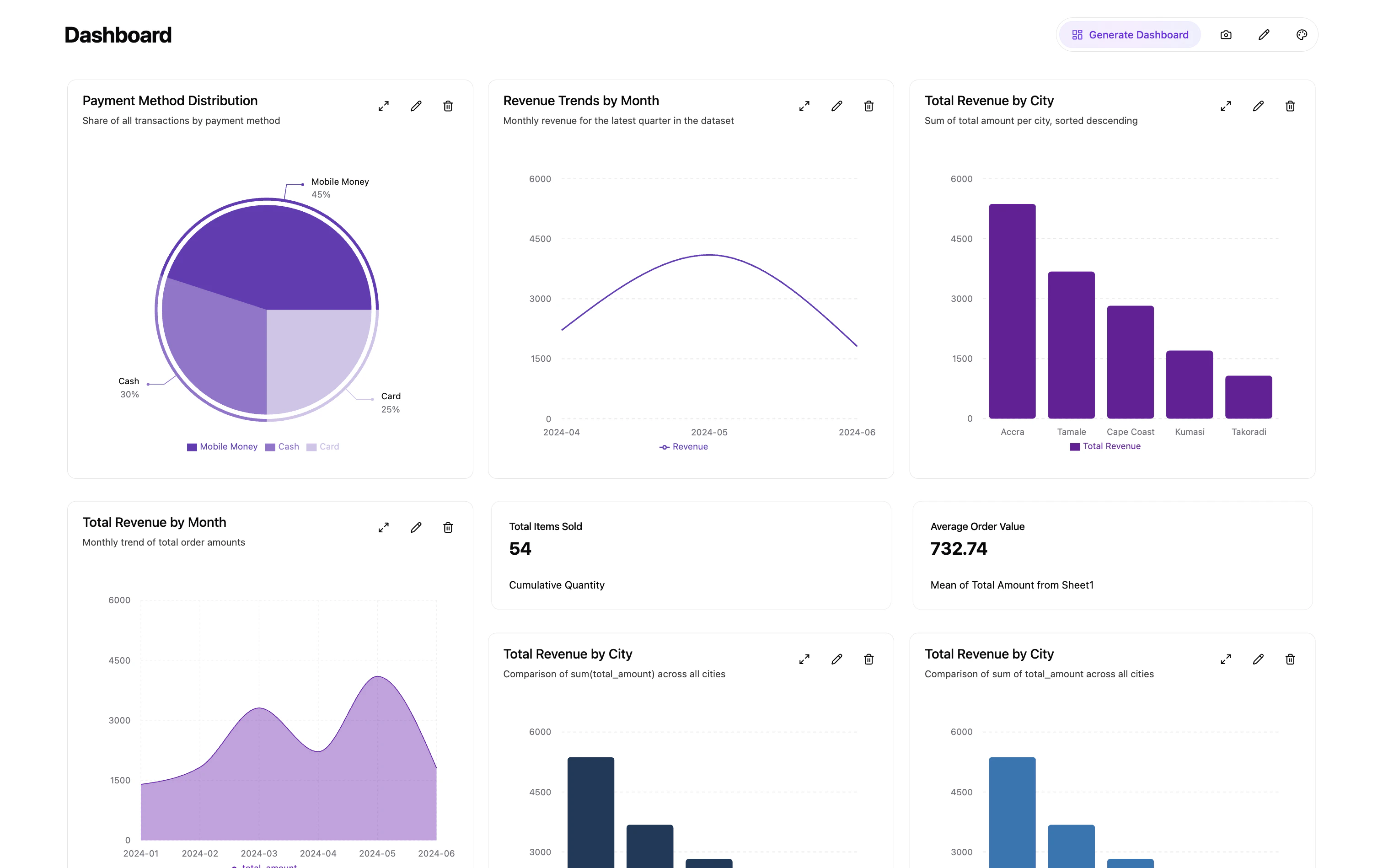

Papermap also supports embedding with React components through @papermap/papermap. This package lets you embed Papermap-native chat, chart cards, and board layouts directly in your application instead of embedding the full dashboard iframe.

Main Components

  • PaperChat: Full AI chat assistant with streaming, conversation history, and chart generation.
  • PaperCard: Standalone chart card with toolbar actions. Use variant="streaming" for an embedded chart and conversation dialog without the floating assistant.
  • PaperBoard: Responsive grid layout of chart cards, toolbar actions, optional chat assistant, and controlled or uncontrolled layouts.
Each top-level component handles API calls, authentication, and UI internally unless you compose lower-level exports yourself.

PaperChat

Use PaperChat when you want the embedded AI assistant experience with chat history, chart generation, and streaming responses.
import { PaperChat } from '@papermap/papermap'

<PaperChat
  token="your-base64-api-token"
  workspaceId="your-workspace-id"
  dashboardId="your-dashboard-id"
/>

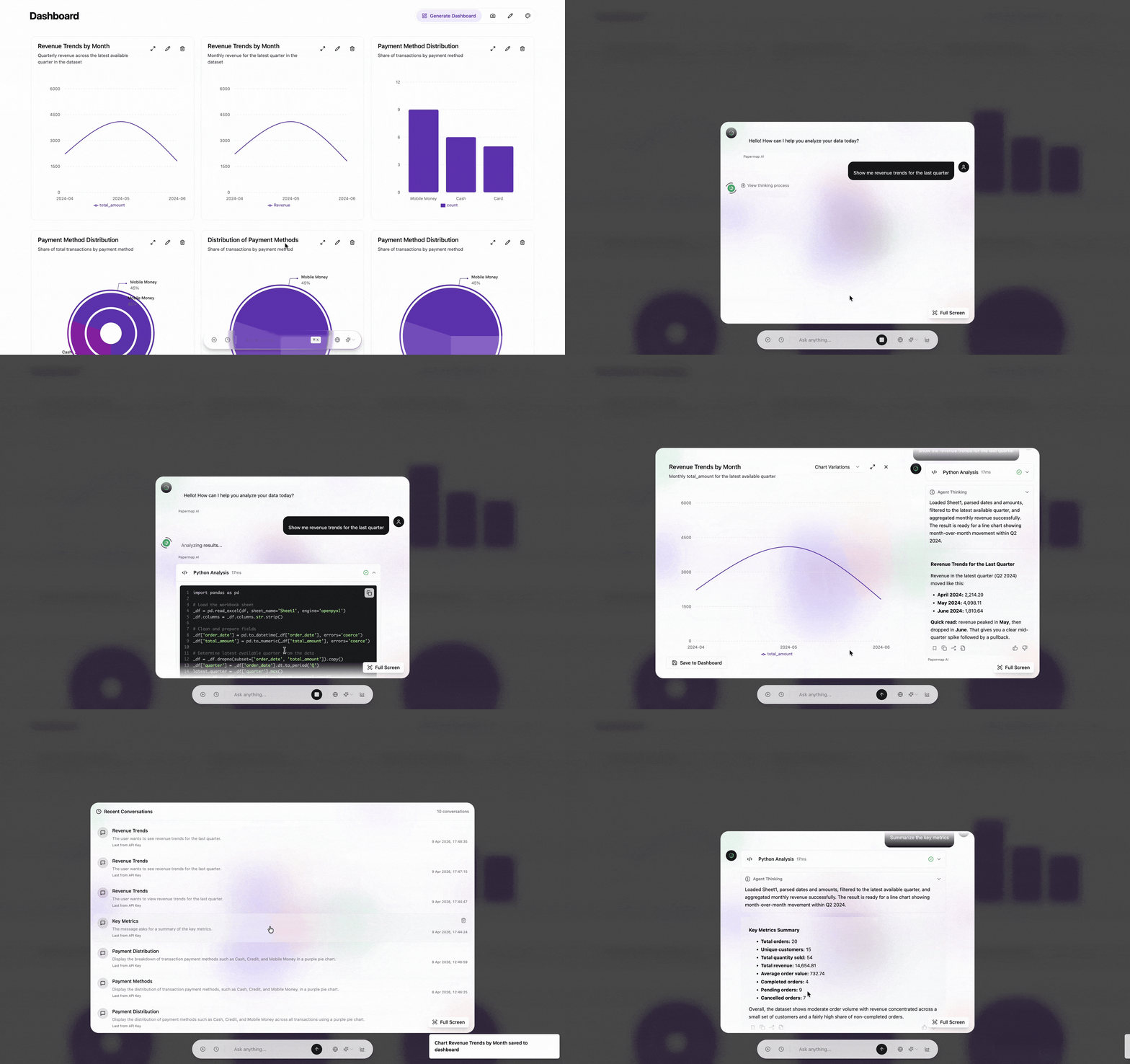
PaperChat

PaperChat embedded in a React application

PaperCard

Use PaperCard when you want to render a single chart card with Papermap toolbar actions inside your own page layout.
import { PaperCard } from '@papermap/papermap'

<PaperCard
  token="your-base64-api-token"
  workspaceId="your-workspace-id"
  dashboardId="your-dashboard-id"
  chartId="your-chart-id"
/>

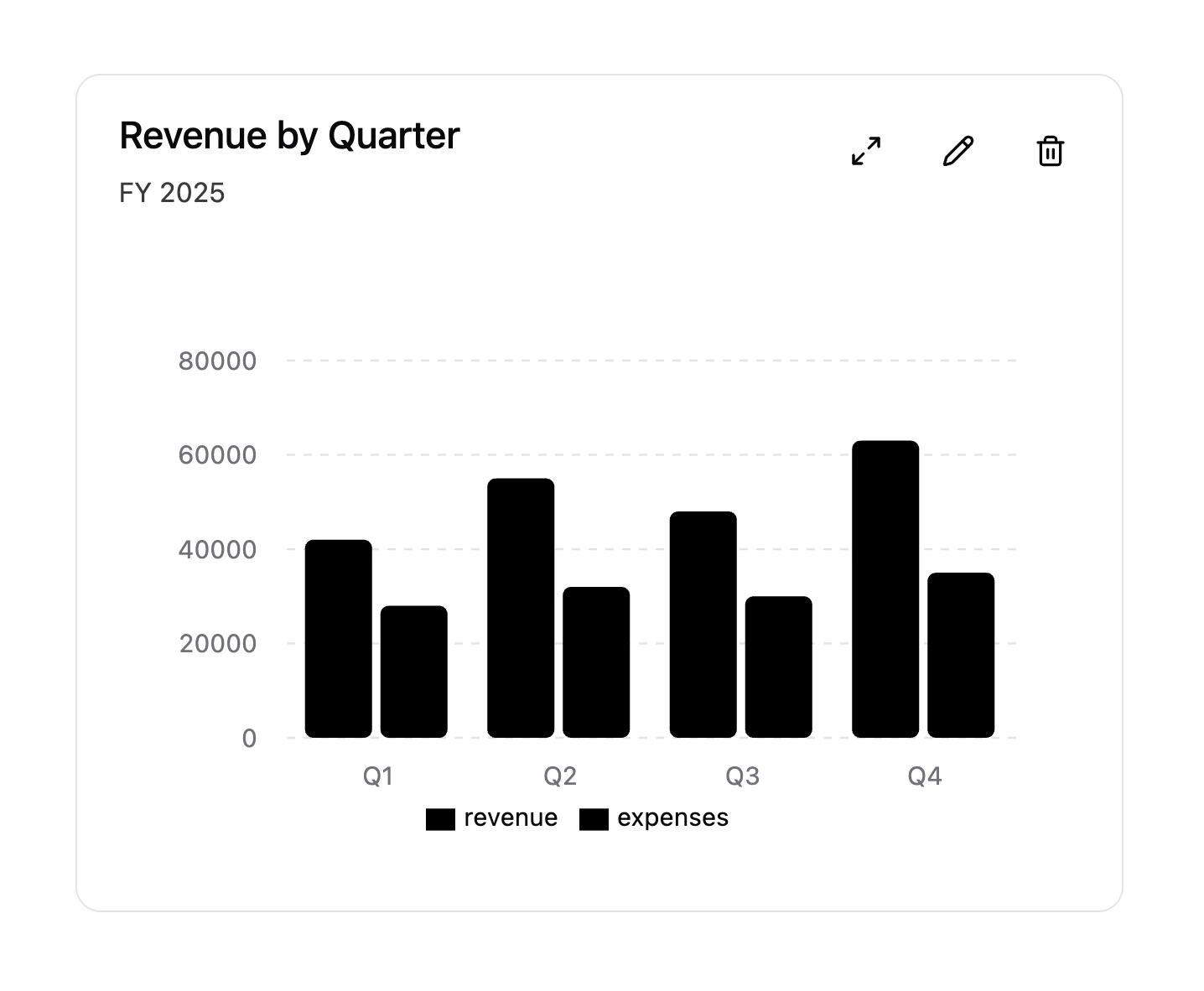
PaperCard

PaperCard rendering a standalone chart card

PaperCard streaming variant

Use variant="streaming" when you want the chart card and the expanded conversation flow together in the same embedded surface.
import { PaperCard } from '@papermap/papermap'

<PaperCard
  token="your-base64-api-token"
  workspaceId="your-workspace-id"
  dashboardId="your-dashboard-id"
  chartId="your-chart-id"
  variant="streaming"
/>

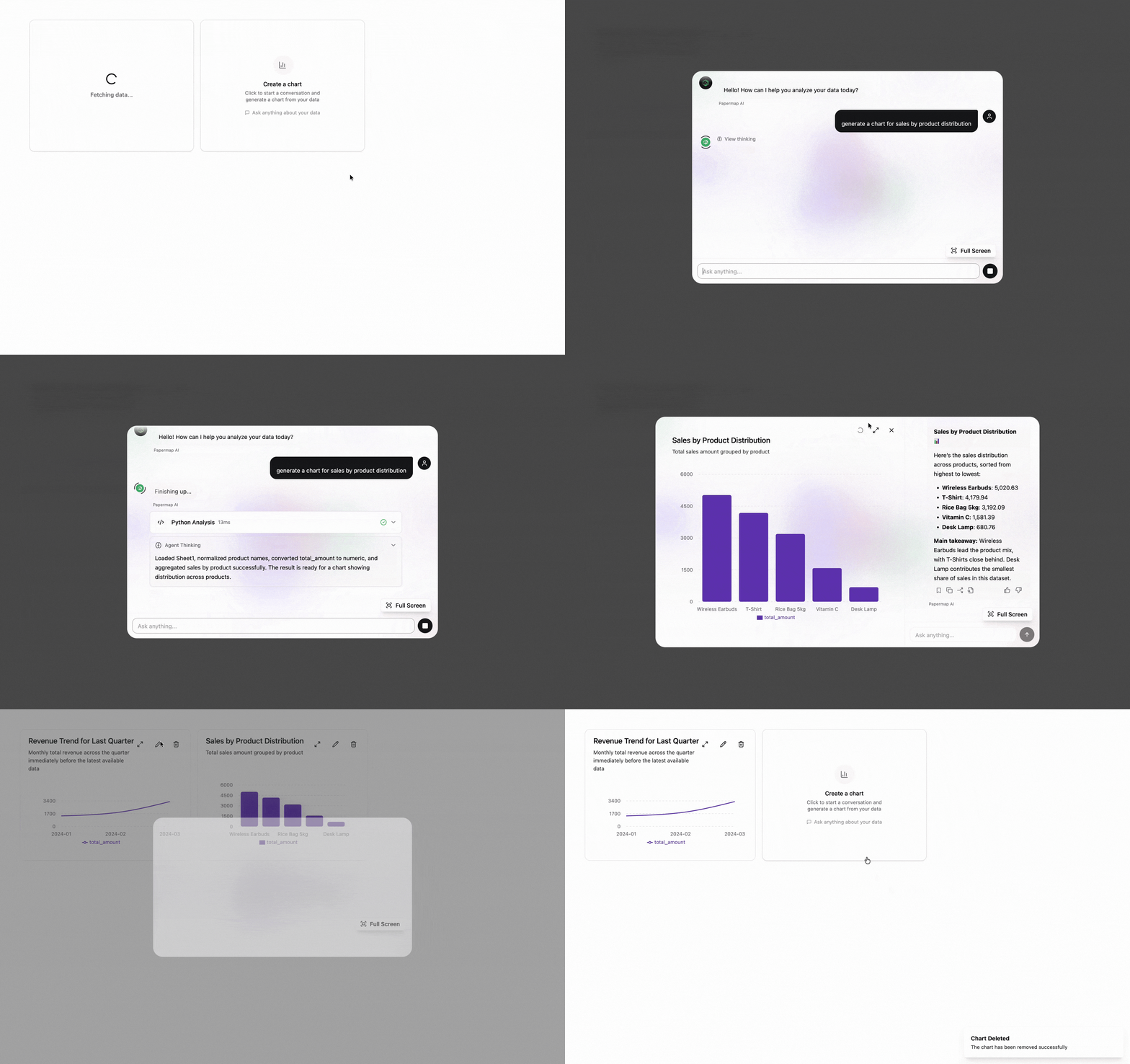
PaperCard streaming

PaperCard streaming variant showing chart and conversation together

PaperBoard

Use PaperBoard when you want a dashboard-style layout with multiple cards, optional chat assistant, and responsive board behavior.
import { PaperBoard } from '@papermap/papermap'

<PaperBoard
  token="your-base64-api-token"
  workspaceId="your-workspace-id"
  dashboardId="your-dashboard-id"
  showChatAssistant
/>

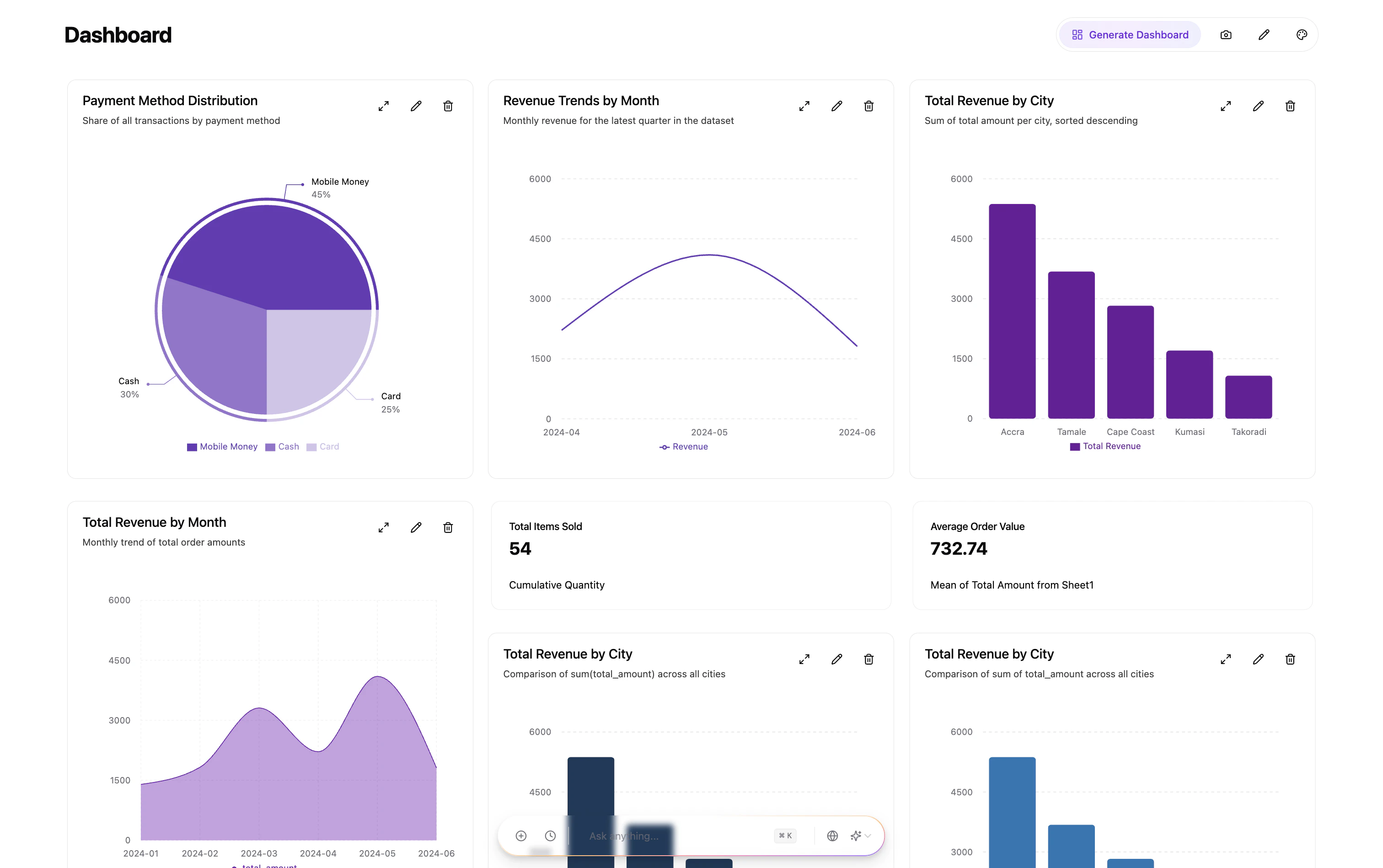
PaperBoard

PaperBoard overview with multiple embedded chart cards

Quick Start

1. Install

npm install @papermap/papermap
Requirements: React 18+ and React DOM 18+.

2. Import styles once

import '@papermap/papermap/styles.css'

3. Before you start

You will need a few Papermap values before the components can render successfully:
  • API key: Generate this in Papermap before wiring up your app. See Getting Your API Key.
  • workspaceId: Use the workspace that owns the charts and dashboards you want to embed.
  • dashboardId: Use the dashboard context you want the embedded components to read from and save into. See Basic Embedding.
  • Frontend token: Your app should fetch a signed, base64-encoded token from your backend. See Basic Embedding for the backend token generation flow.
  • Optional apiUrl: Only set this if your environment uses a non-default Papermap API base URL.
token is not the raw API key. Keep the API key and secret on your backend, and return a short-lived signed token to your frontend instead.

4. Minimal integration flow

  1. Create an API key in Papermap.
  2. Identify the workspaceId and dashboardId you want to use.
  3. Add a backend endpoint that returns a signed token to your frontend.
  4. Wrap your app with PapermapConfigProvider or pass the values directly to each component.
  5. Render PaperChat, PaperCard, or PaperBoard.
If you are implementing tenant-aware dashboard provisioning or server-side dashboard creation, see Creating Dashboards and Iframe Embed Tokens.

5. Choose an integration pattern

PapermapConfigProvider is an alias for PapermapProvider.
import {
  PapermapConfigProvider,
  PaperChat,
  PaperCard,
} from '@papermap/papermap'

function App() {
  return (
    <PapermapConfigProvider
      token="your-base64-api-token"
      workspaceId="your-workspace-id"
      dashboardId="your-dashboard-id"
      // optional: apiUrl="https://dataapi.papermap.ai"
    >
      <PaperChat />
      <PaperCard chartId="existing-chat-id" />
    </PapermapConfigProvider>
  )
}

Standalone components

Pass token, workspaceId, and dashboardId on each component when you are not using a provider.
import { PaperChat, PaperCard } from '@papermap/papermap'

function App() {
  return (
    <>
      <PaperChat
        token="your-base64-api-token"
        workspaceId="your-workspace-id"
        dashboardId="your-dashboard-id"
      />

      <PaperCard
        token="your-base64-api-token"
        workspaceId="your-workspace-id"
        dashboardId="your-dashboard-id"
        chartId="existing-chat-id"
      />
    </>
  )
}

Props

PaperChat

PropTypeRequiredDefaultDescription
tokenstringYes*Base64-encoded API token
workspaceIdstringYes*Workspace ID
dashboardIdstringYes*Dashboard ID
apiUrlstringNohttps://dataapi.papermap.aiAPI base URL
theme'light' | 'dark'NoForce light or dark theme
placeholderstringNo"Ask anything..."Input placeholder text
shortcutKeystringNo"k"Keyboard shortcut key
autoFadebooleanNofalseFade toolbar after inactivity
fadeDelaynumberNo5000Delay before auto-fade in milliseconds
classNamestringNoExtra CSS class on the toolbar container
*Omit these on the component when values come from PapermapConfigProvider or PapermapProvider.

PaperCard

PropTypeRequiredDefaultDescription
tokenstringYes*Base64-encoded API token
workspaceIdstringYes*Workspace ID
dashboardIdstringYes*Dashboard ID
apiUrlstringNohttps://dataapi.papermap.aiAPI base URL
chartIdstringNoBackend chat ID to load the latest chart for
chartTChartResponseNoPre-loaded chart data that skips API fetch
theme'light' | 'dark'NoForce light or dark theme
onEditClick(chartId: string) => voidNoCalled when the edit button is clicked
onDelete(chartId: string) => voidNoCalled when chart deletion is confirmed
onPinChange(chartId: string, pinned: boolean) => voidNoCalled when pin state changes
widebooleanNofalseWide mode for table charts
hideVariantsbooleanNotrueHide the chart variation selector
showToolbarbooleanNotrueShow toolbar actions
classNamestringNoExtra CSS class on the card container
variant'default' | 'streaming'No'default'Embedded streaming mode opens chart and conversation together

Pre-loaded chart example

import { PaperCard } from '@papermap/papermap'
import type { TChartResponse } from '@papermap/papermap'

const chart: TChartResponse = {
  llm_data_chat_id: 'my-chart-id',
  name: 'Revenue',
  meta: { title: 'Revenue by Quarter', variant: 'default' },
  pin: false,
  chart_response: {
    chart_type: 'bar',
    data: [
      { quarter: 'Q1', revenue: 42000 },
      { quarter: 'Q2', revenue: 55000 },
    ],
    response_type: 'chart',
    schema_hints: { x_key: 'quarter', y_key: 'revenue', label_key: 'quarter' },
    visualization_config: { colors: ['#3b82f6'], width: 600, height: 400 },
  },
}

<PaperCard
  token="your-base64-api-token"
  workspaceId="your-workspace-id"
  dashboardId="your-dashboard-id"
  chart={chart}
  onEditClick={(id) => console.log('Edit', id)}
  onDelete={(id) => console.log('Delete', id)}
/>

PaperBoard

PropNotes
token, workspaceId, dashboardId, apiUrlSame configuration as the other components; can come from a provider
chartsOptional pre-loaded charts; otherwise fetched when enableFetch is true
layouts / onLayoutsChangeControlled grid layouts per breakpoint
isEditMode, editLayout, isViewerEdit and view behavior controls
showToolbar, showScreenshot, showGenerateDashboard, showHeader, showChatAssistantFeature toggles
variant'default' | 'streaming' for embedded chart cards
dashboardTheme, onDashboardThemeChange, persistWorkspaceTheme, renderThemeModalTheming controls
onEditChart, onDeleteChart, onPinChange, onGenerateDashboard, onTakeScreenshot, onThemeModalOpenLifecycle and UI callbacks
See the TypeScript types for PaperBoardProps for the full API surface.

Streaming chart card variant

With variant="streaming", the edit action opens an embedded expanded view with chart, conversation, SSE streaming, save-to-dashboard actions, maximize actions, and assistant audit history.
import { PaperCard } from '@papermap/papermap'

export function EmbeddedStreamingChart() {
  return (
    <div className="h-[420px] w-[520px]">
      <PaperCard
        token="your-base64-api-token"
        workspaceId="your-workspace-id"
        dashboardId="your-dashboard-id"
        variant="streaming"
        chartId="existing-chat-id"
      />
    </div>
  )
}
Supported chart types: bar, line, area, pie, radar, scatter, table, tile.

Advanced Exports

For custom layouts, the package also exports subcomponents such as ChatAssistant, StreamingChartDialog, ChartView, and DataTable, along with Zustand store helpers, hooks like useAnalyticsStream, API helpers such as createApiClient, decodeToken, and buildAuthHeaders, plus streaming and chart types.

Troubleshooting

Cannot find module @papermap/papermap/styles.css

  • Use the scoped package name and the ./styles.css export.
  • Reinstall after upgrading.

Papermap requires token, workspaceId, or dashboardId

  • Provide the values once via PapermapConfigProvider or PapermapProvider.
  • Or pass them directly on each component.

Requests hit the wrong backend

  • Set apiUrl on the provider or per component. The default is https://dataapi.papermap.ai.

Charts do not appear in PaperCard

  • Pass a valid backend chartId.
  • Or provide pre-loaded chart data directly.

How It Works

Authentication

The token prop is base64-encoded JSON:
{
  "api_key_id": "ak_...",
  "workspace_id": "...",
  "valid_until": 1773246356,
  "signature": "88b34e..."
}
The library decodes the token and sends these headers on API requests:
  • X-API-Key-ID
  • X-Workspace-ID
  • X-Valid-Until
  • X-Signature
  • X-Tenant-ID: da-app

Chat data flow

  1. The first user message may create a chat via POST /api/v1/analytics/chats.
  2. Messages are sent to POST /api/v1/analytics/charts/stream.
  3. SSE connects to POST /api/v1/analytics/requests/stream for live updates, with HTTP fallback when needed.
  4. History is loaded from chat conversations, dashboard recent chats, and chart history endpoints.

What users see in PaperChat

  • Floating input bar with keyboard shortcut support.
  • Conversation panel with streaming states, stop action, and new chat flow.
  • Recent conversations, per-chat history, feedback, optional execution view, and model selection.

Next Steps

Get an API Key

Generate the API credentials you need before wiring up the React package.

Basic Embedding

Use iframe embedding if you want the full Papermap dashboard surface instead.

Troubleshooting

Review common integration issues and fixes.