

Build the first version
1
Create or choose a prompt version
Save reusable instructions under Prompts, or write new instructions
directly in the agent composer.
2
Choose model access
Use a Papermap-managed model when available, connect an OpenAI or Anthropic
provider key, or use
Testing → fake-echo for a zero-credential staging
smoke test.3
Allow only required tools
Open Advanced — fallback models, tools, output, and limits and add only tools
this version should call. Project-level enablement does not grant an agent
access automatically.
4
Choose the output contract
Leave Output schema blank for free-form text, or provide an object-rooted
JSON Schema when your application needs predictable fields.
5
Activate deliberately
Select Activate immediately for a new agent, or create an inactive
version when you want to test before moving serving traffic.

The composer makes the prompt, model, and tool boundary visible before activation.
Return structured output
Add a JSON Schema under Advanced → Output schema when downstream code needs a stable response contract. The schema must declare an object at the root.failed and does not publish a successful final output. The raw
model response remains available in the run trace for debugging.
Without an output schema, AIR preserves the existing free-form response shape
with the model response under the
text field.Test before integrating
The Try it panel creates a real run using the selected agent version. Open the resulting trace to verify the exact configuration and model behavior.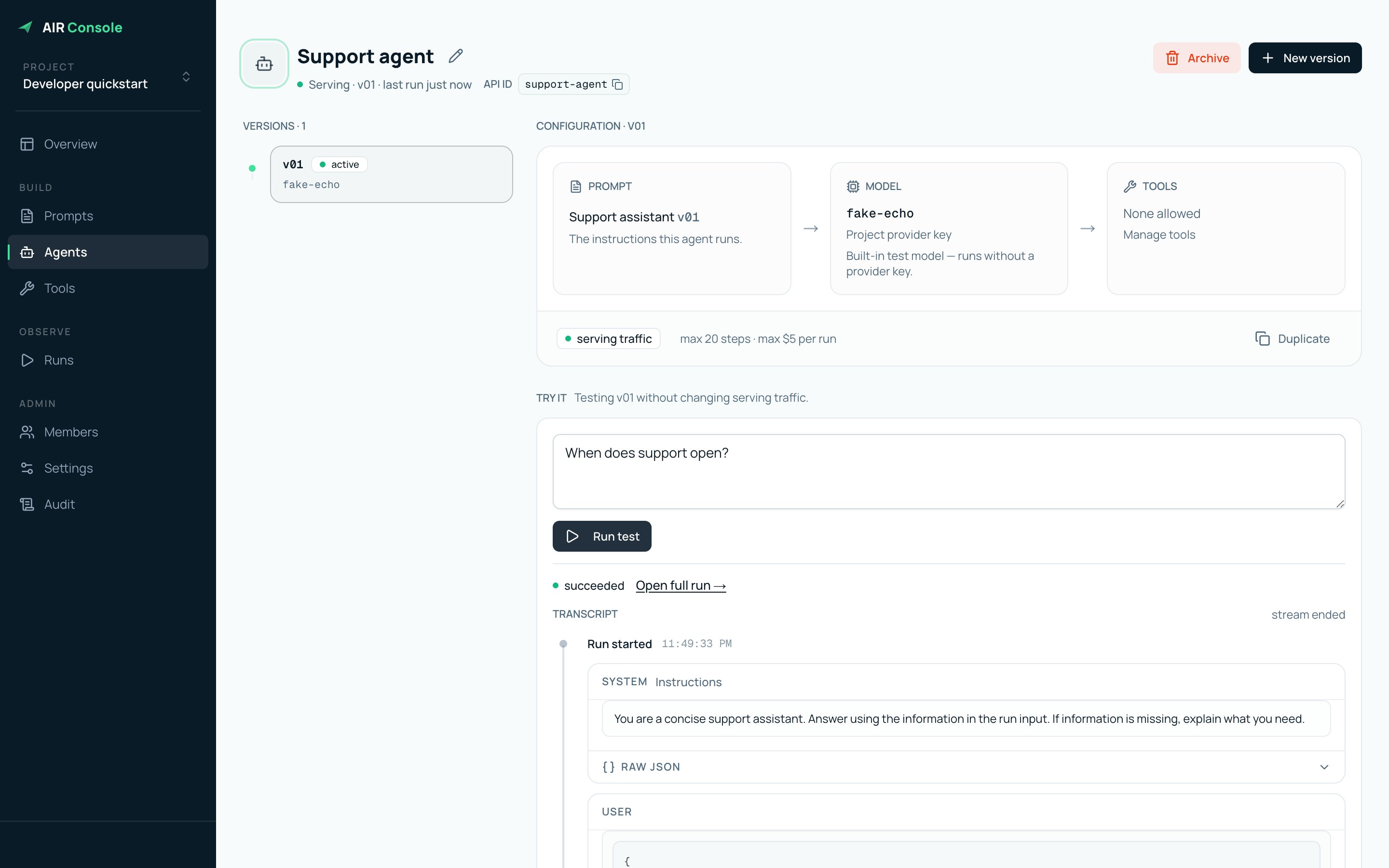
An active version and its successful test transcript.