
Apps

Alan’s Apps now live in the bar. Use them to open the right tool, then save and review bookmarked chats, notes, skills, extractions, and data entry recipes.

Open Apps

Click the Apps button on the bar to open the app picker.
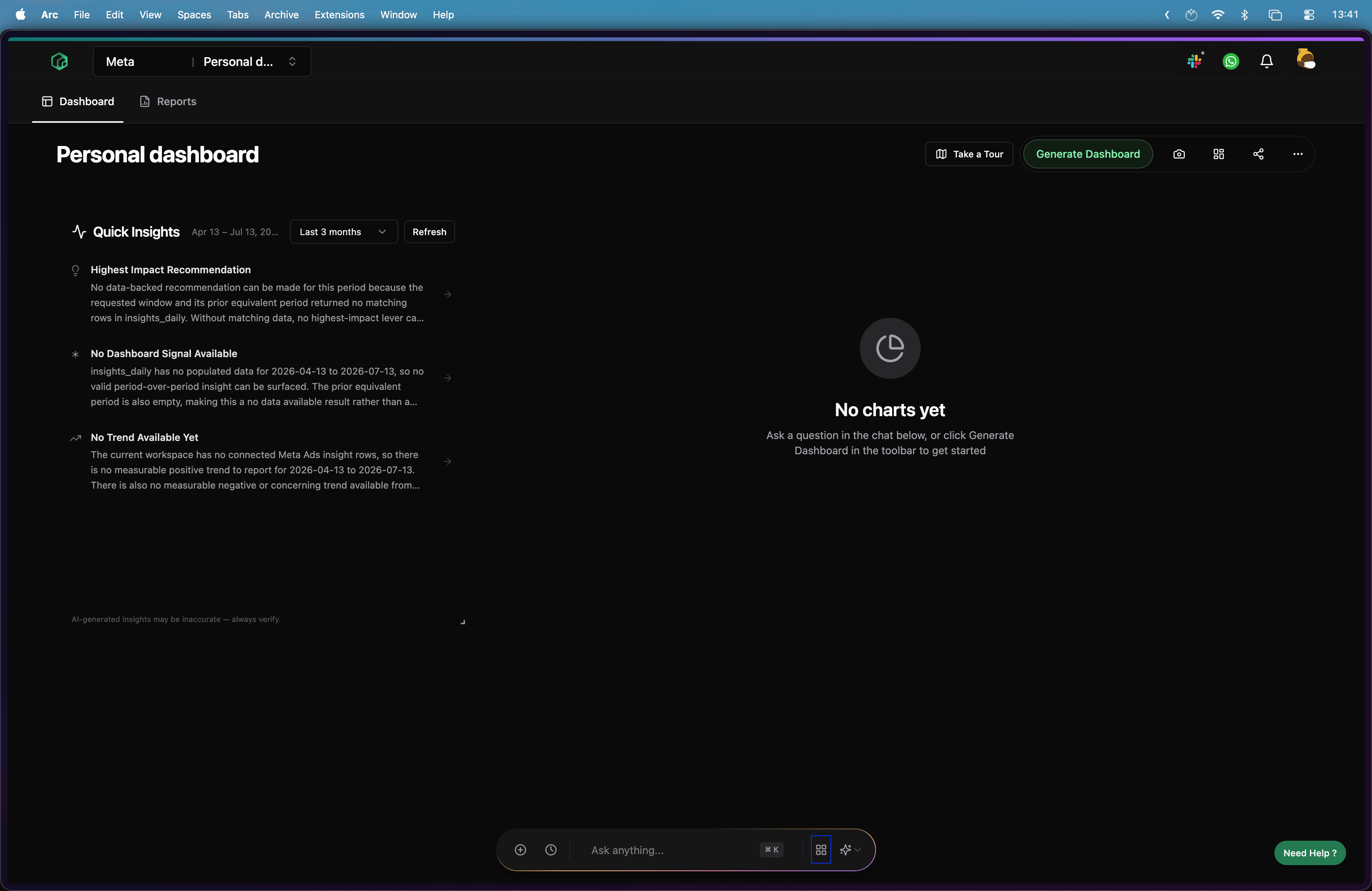
Open the Apps menu
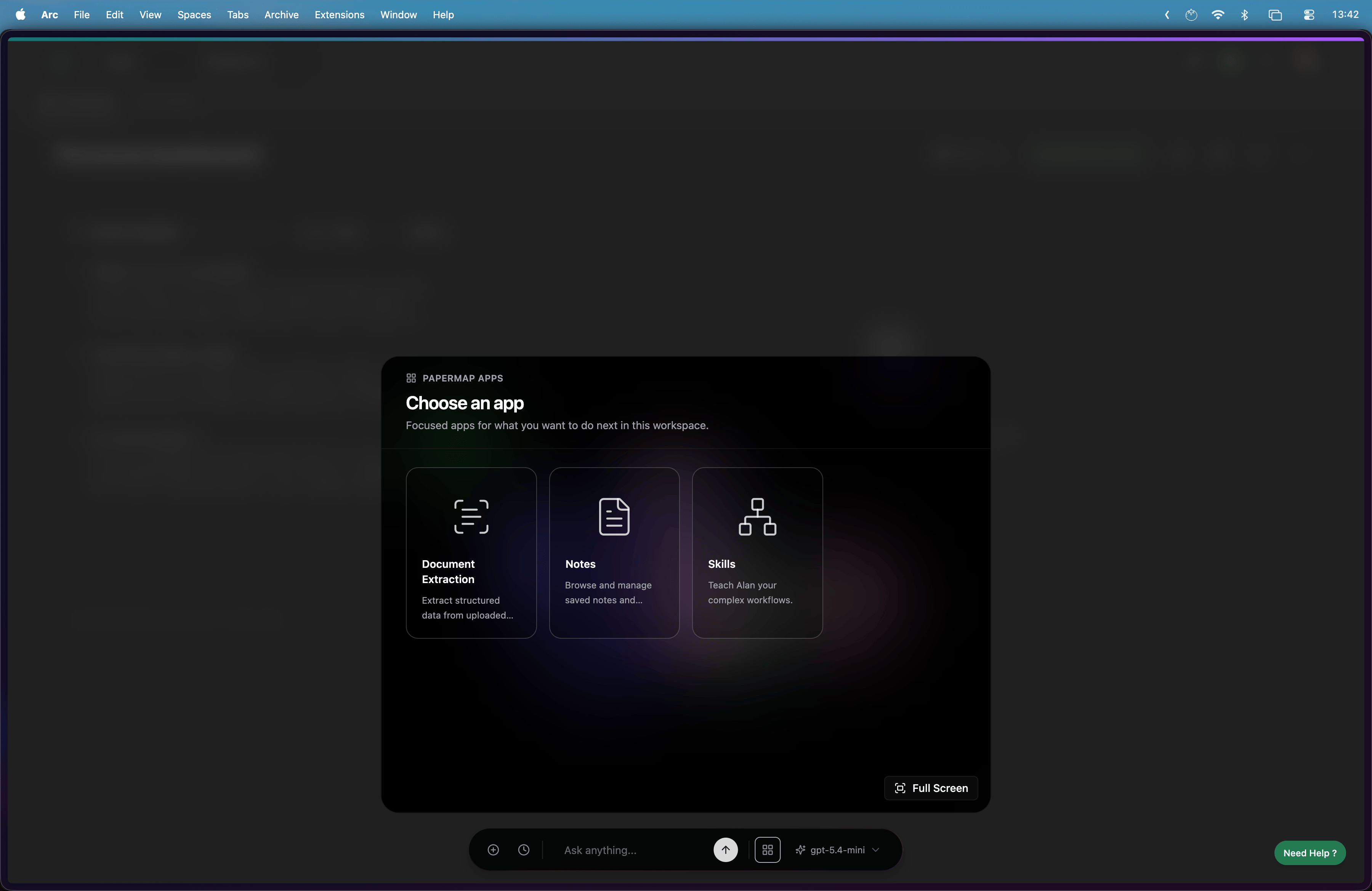
Choose the app you want to use.
Choose an app from the Apps menu

Bookmarks

Create a Bookmark

Click the bookmark icon on any Alan response to save it.
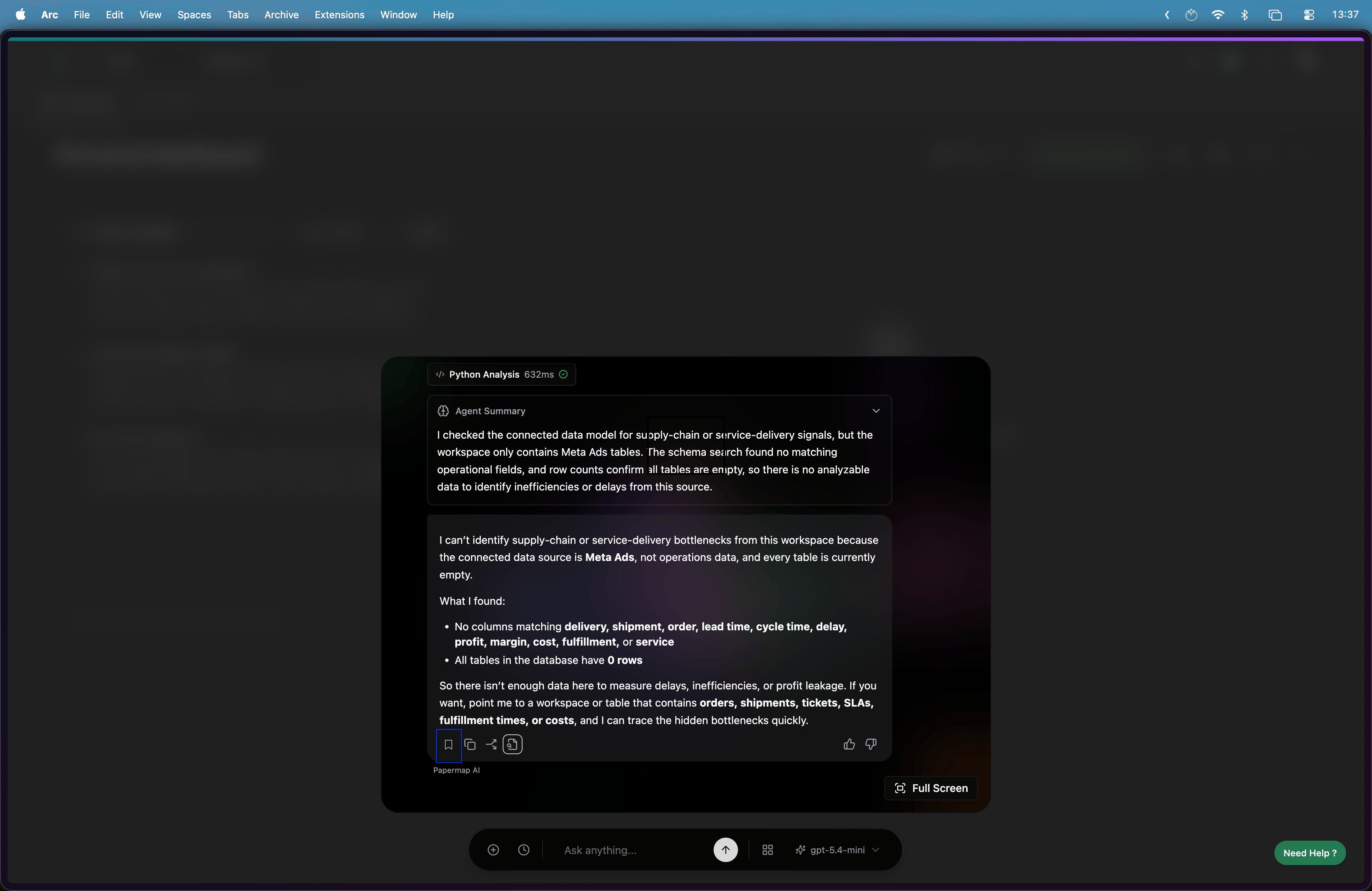
Bookmark a chat response

View Bookmarks

Open Notes from Apps to see saved bookmarks and notes.
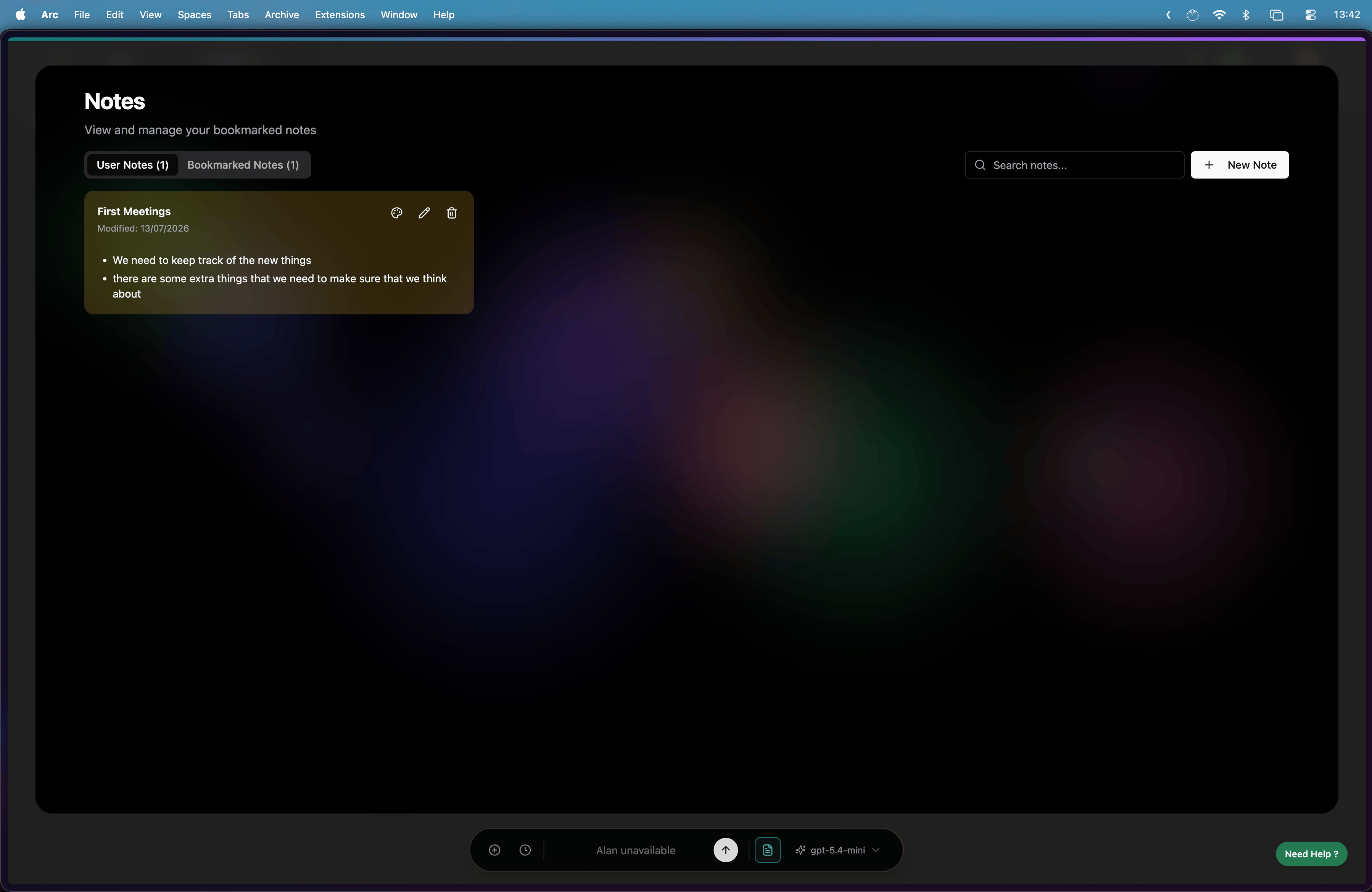
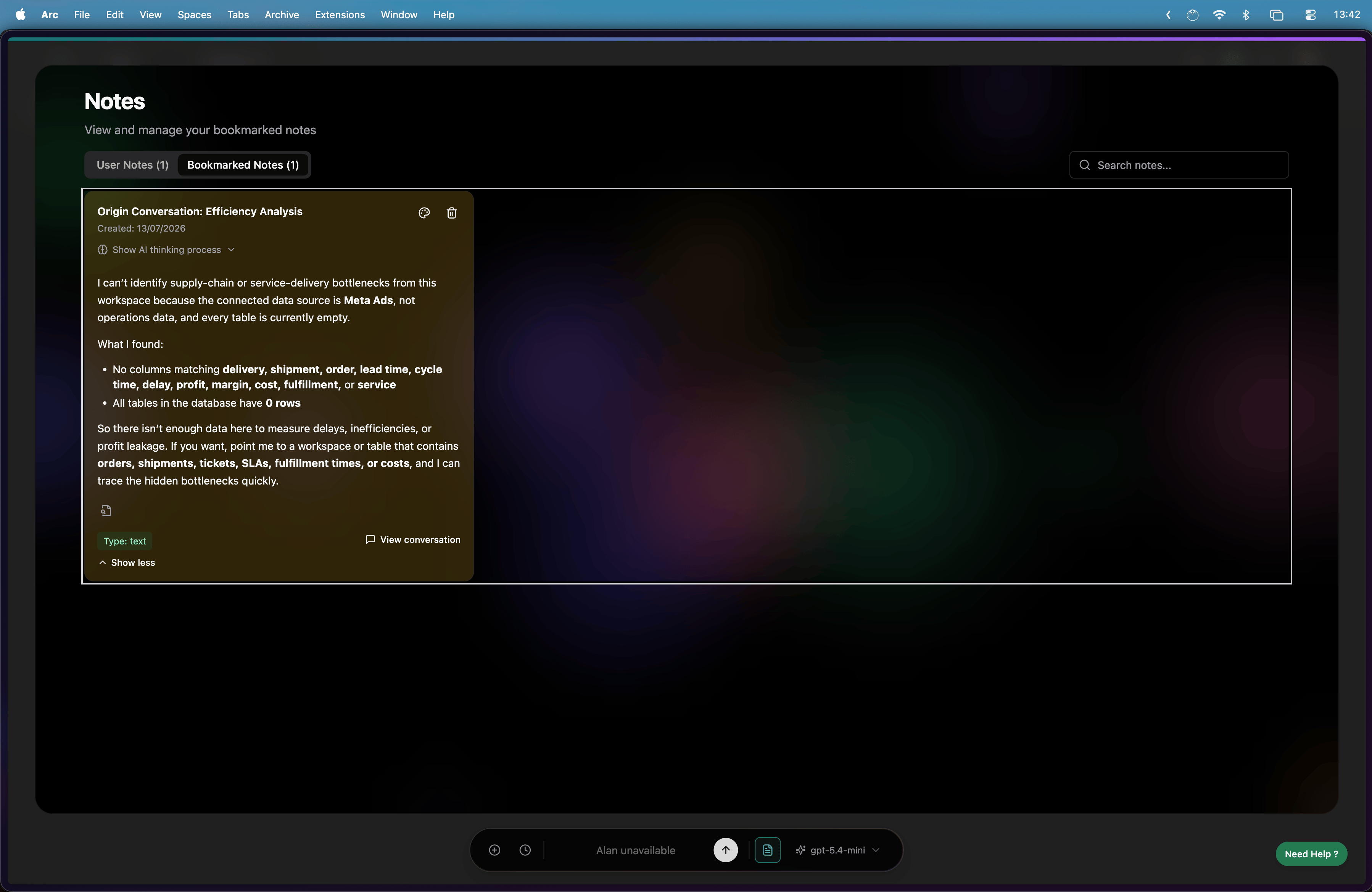
View all notes in Notes
Open a bookmarked note from an Alan chat when you want to review the original conversation.
View a bookmarked note from Alan chat

Skills

Create a Skill

Open the Skills app to create a new skill for Alan.
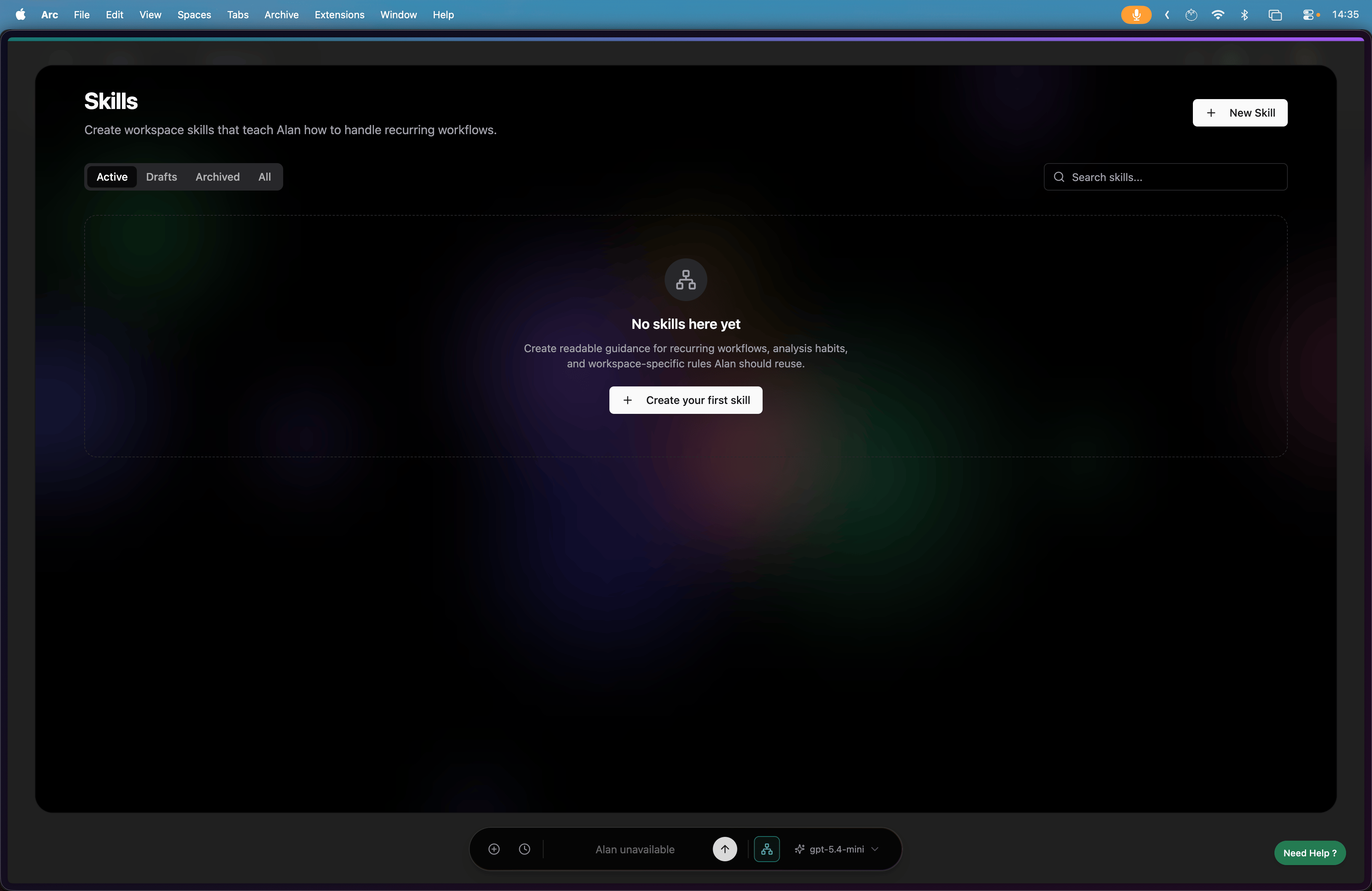
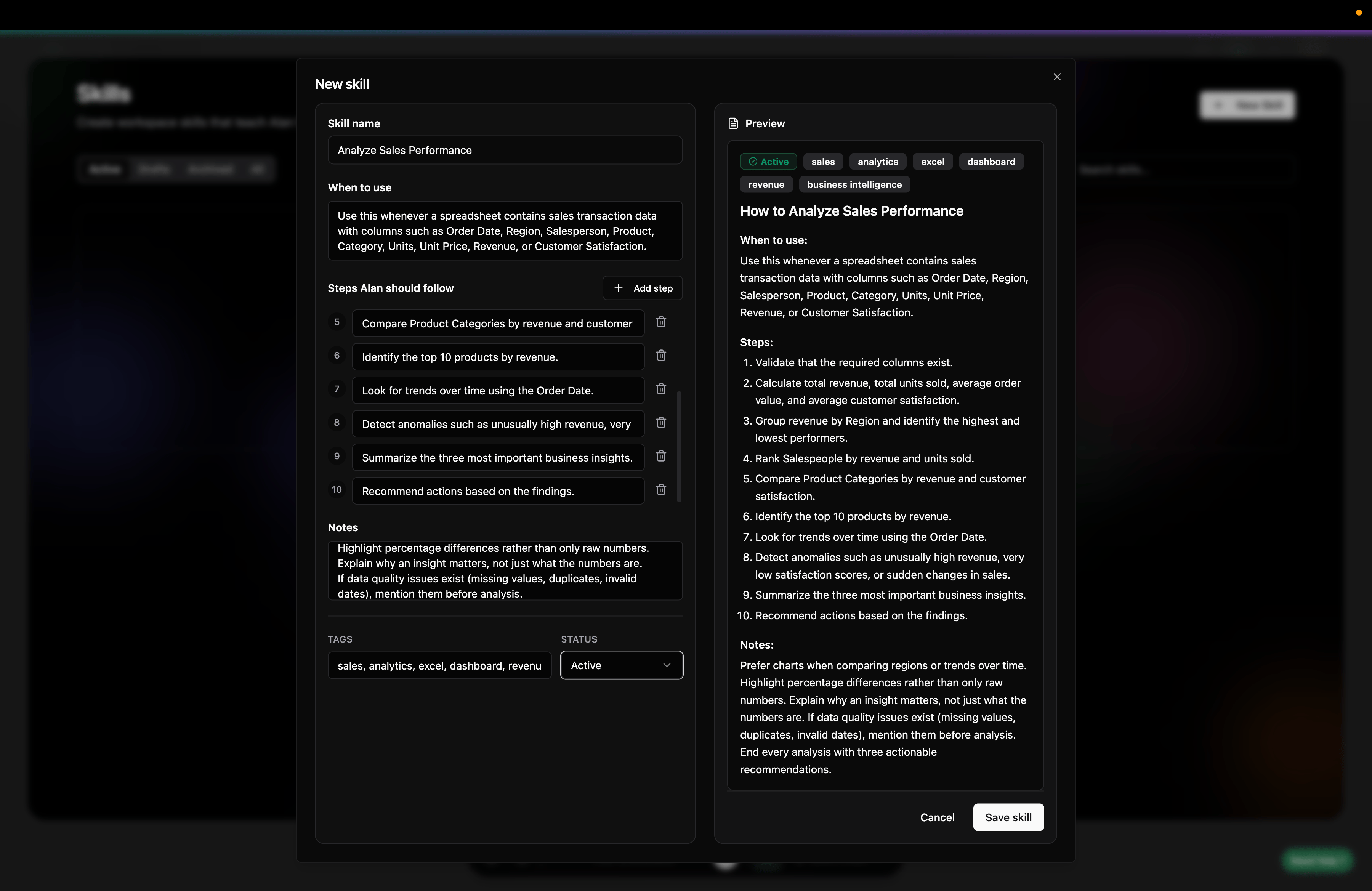
Open the Skills app
Click Create your first skill to start defining the skill steps.
Create skill steps
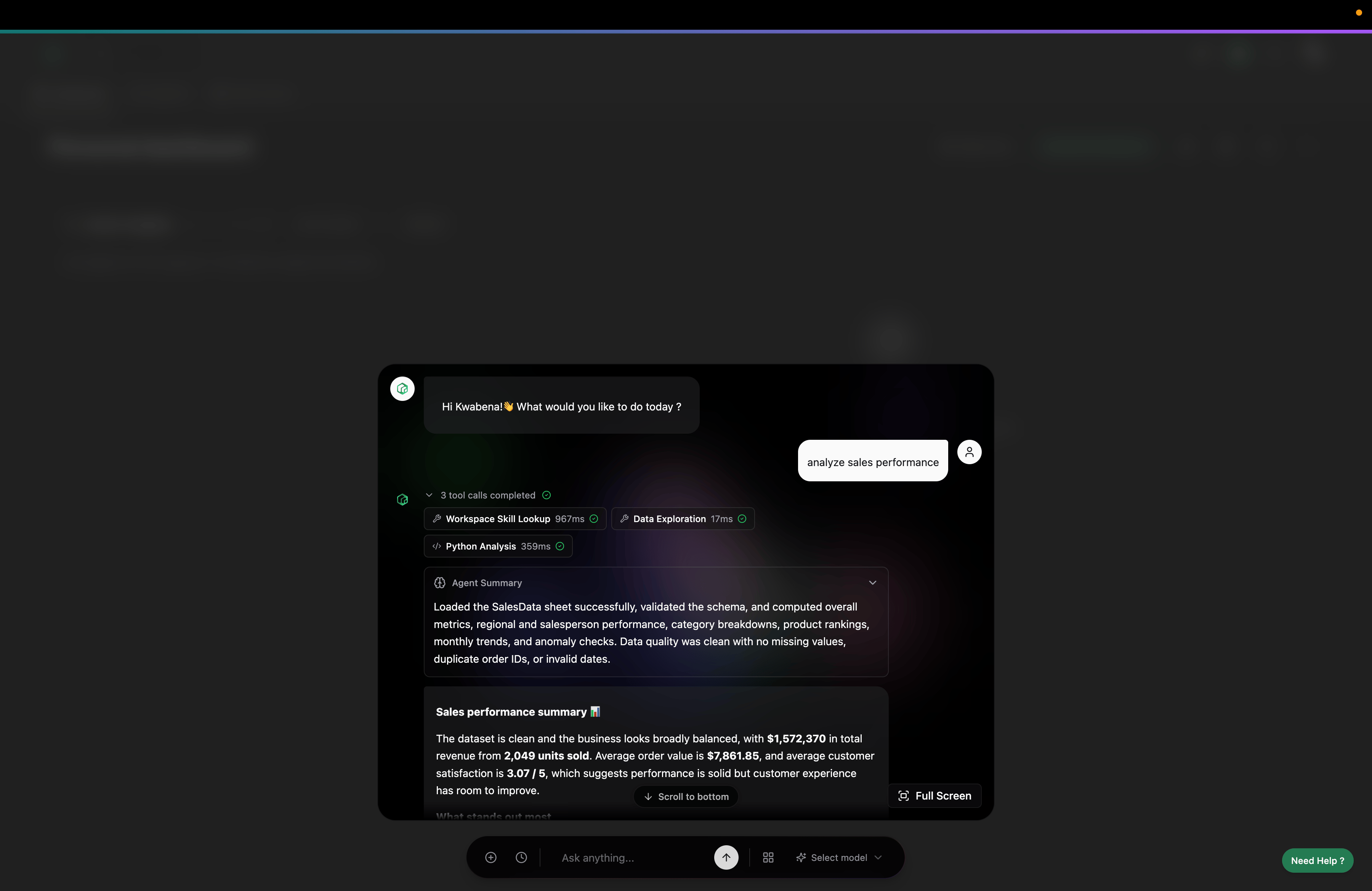
Once saved, Alan can use the skill while answering your chats.
Alan using a skill in chat

Document Extraction

Use Document Extraction to upload one or more PDFs, tell Alan what to extract, and review the results before writing them to a sheet.
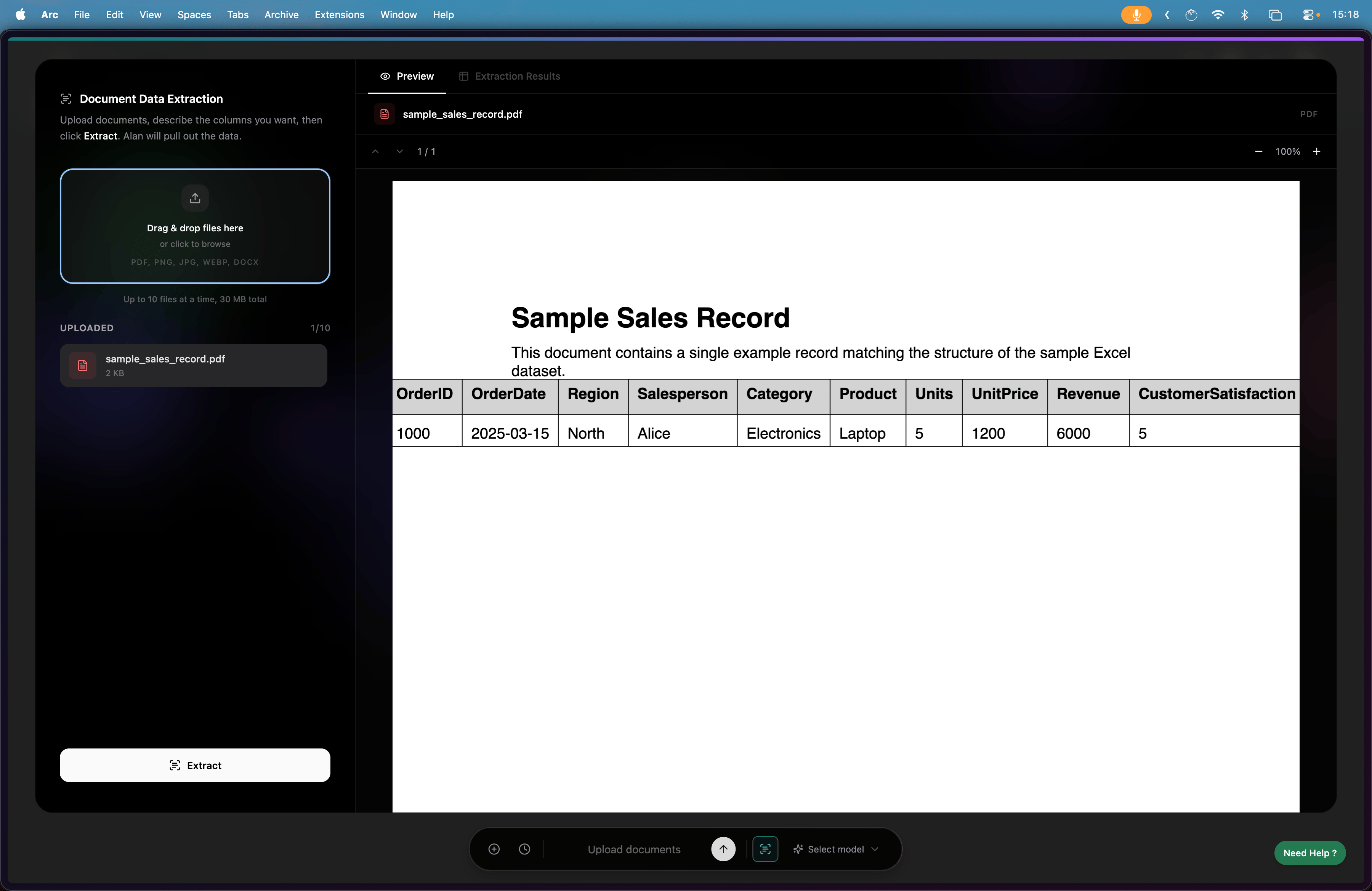
Upload documents for extraction
Describe what Alan should extract and how it should be structured.
Tell Alan what to extract and how
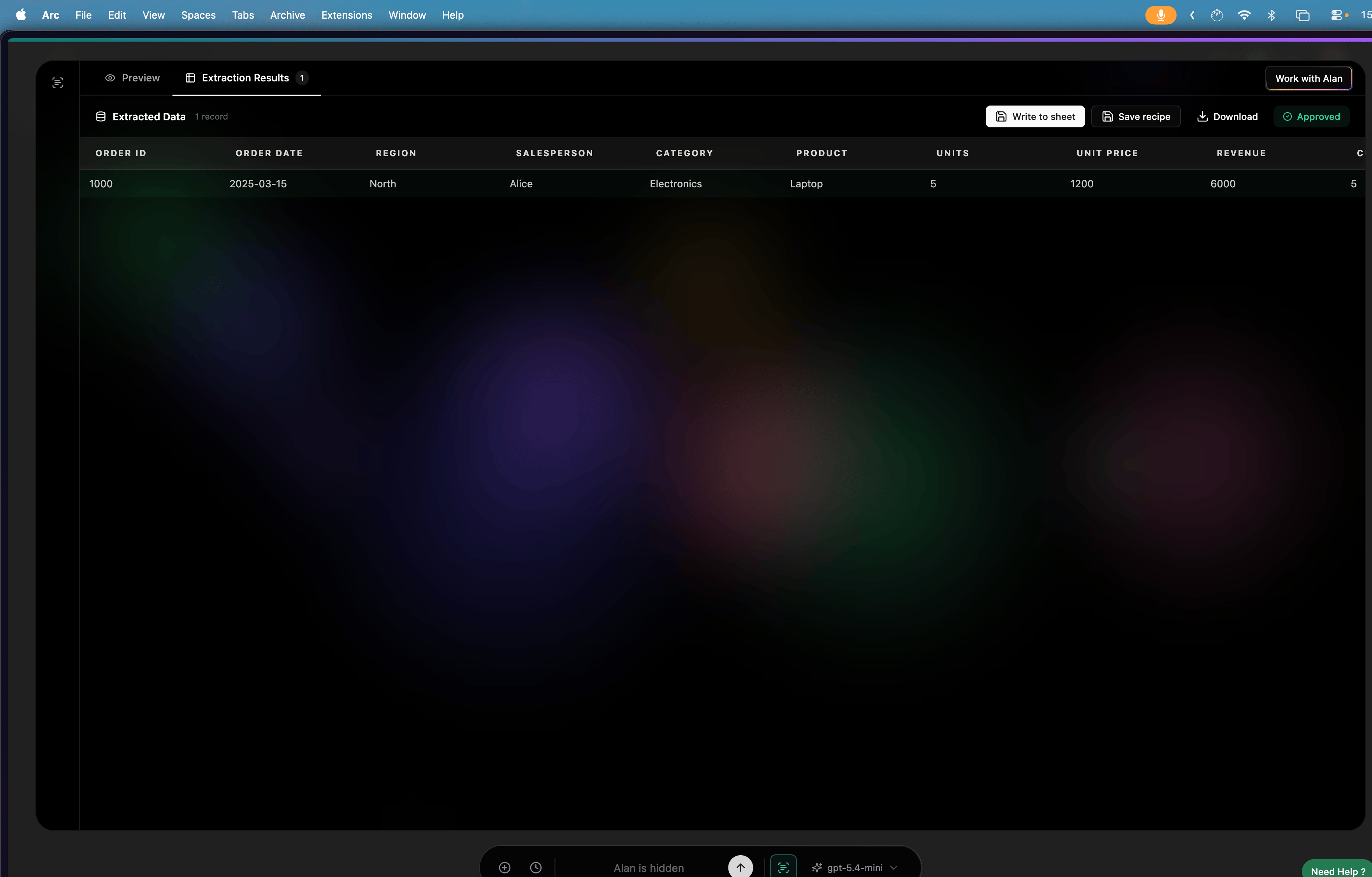
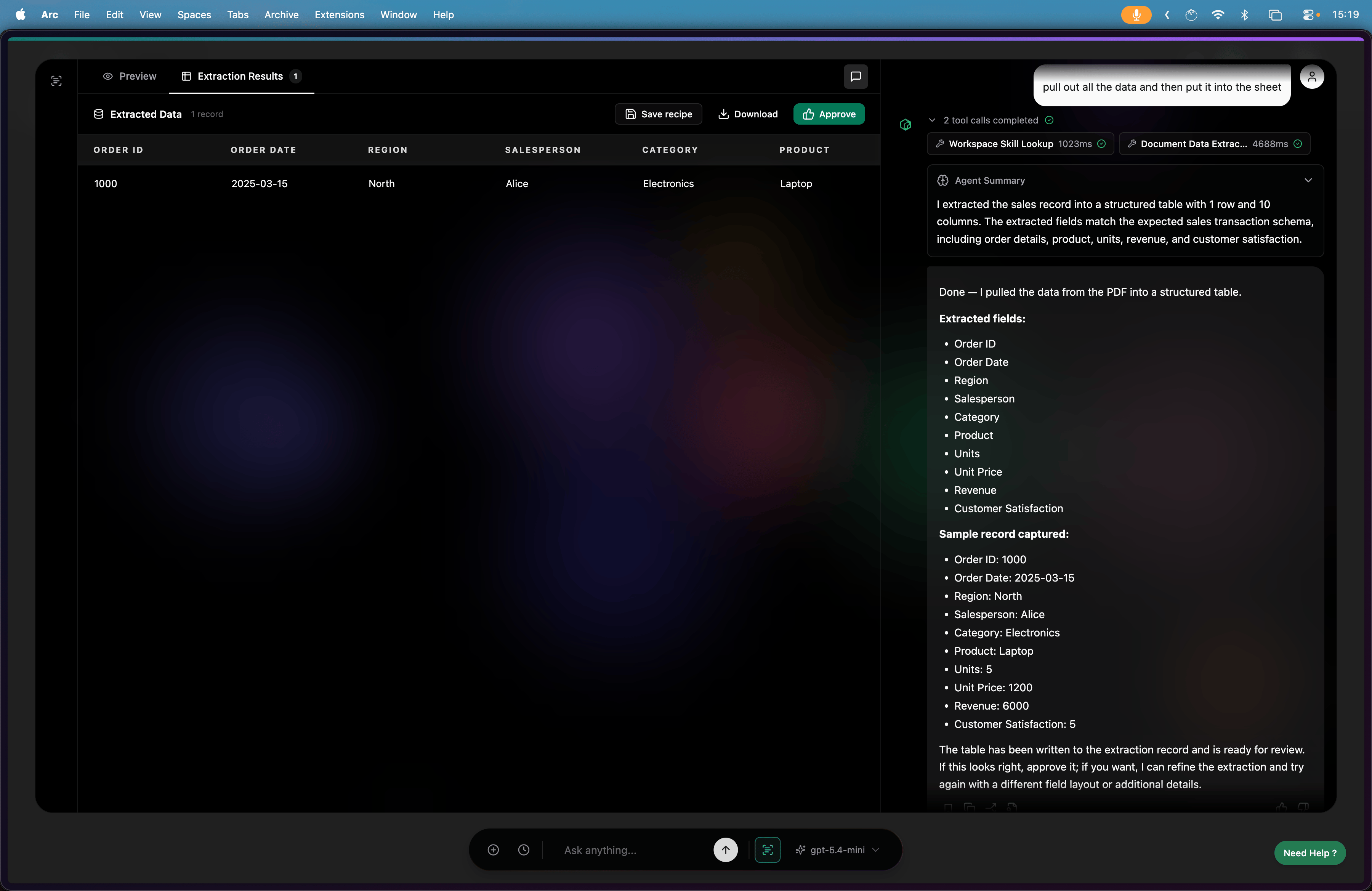
Review the extracted rows before approving them.
Review extraction results
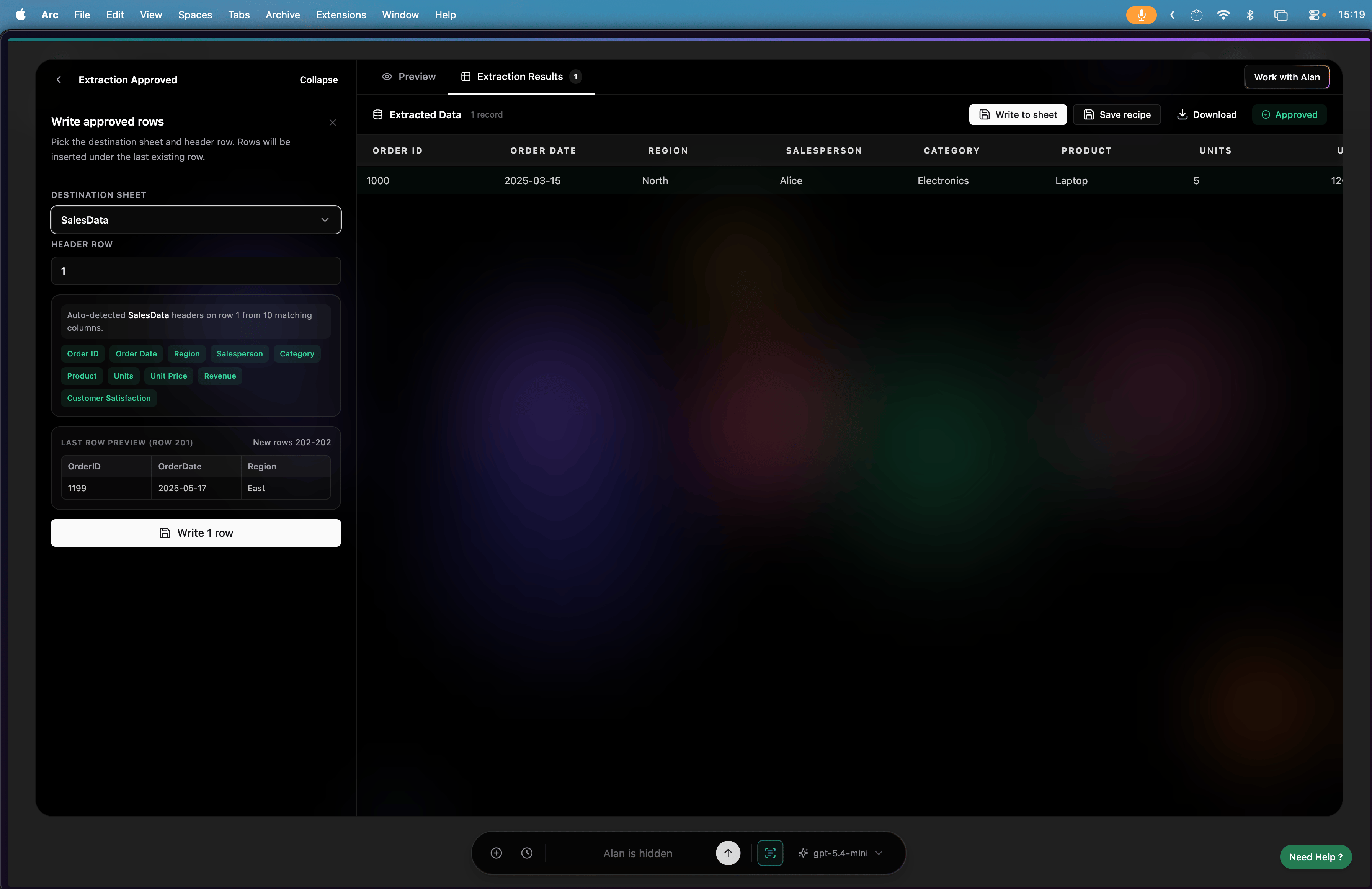
After you verify the results, Alan can write them to your sheet.
Write extraction results to sheet

Data Entry

Use Data Entry for spreadsheet-style workspaces to add new rows without scanning the whole sheet. Pick a unique key column, review matching rows, and save the workflow as a recipe. Choose the primary key column to start an entry workflow.
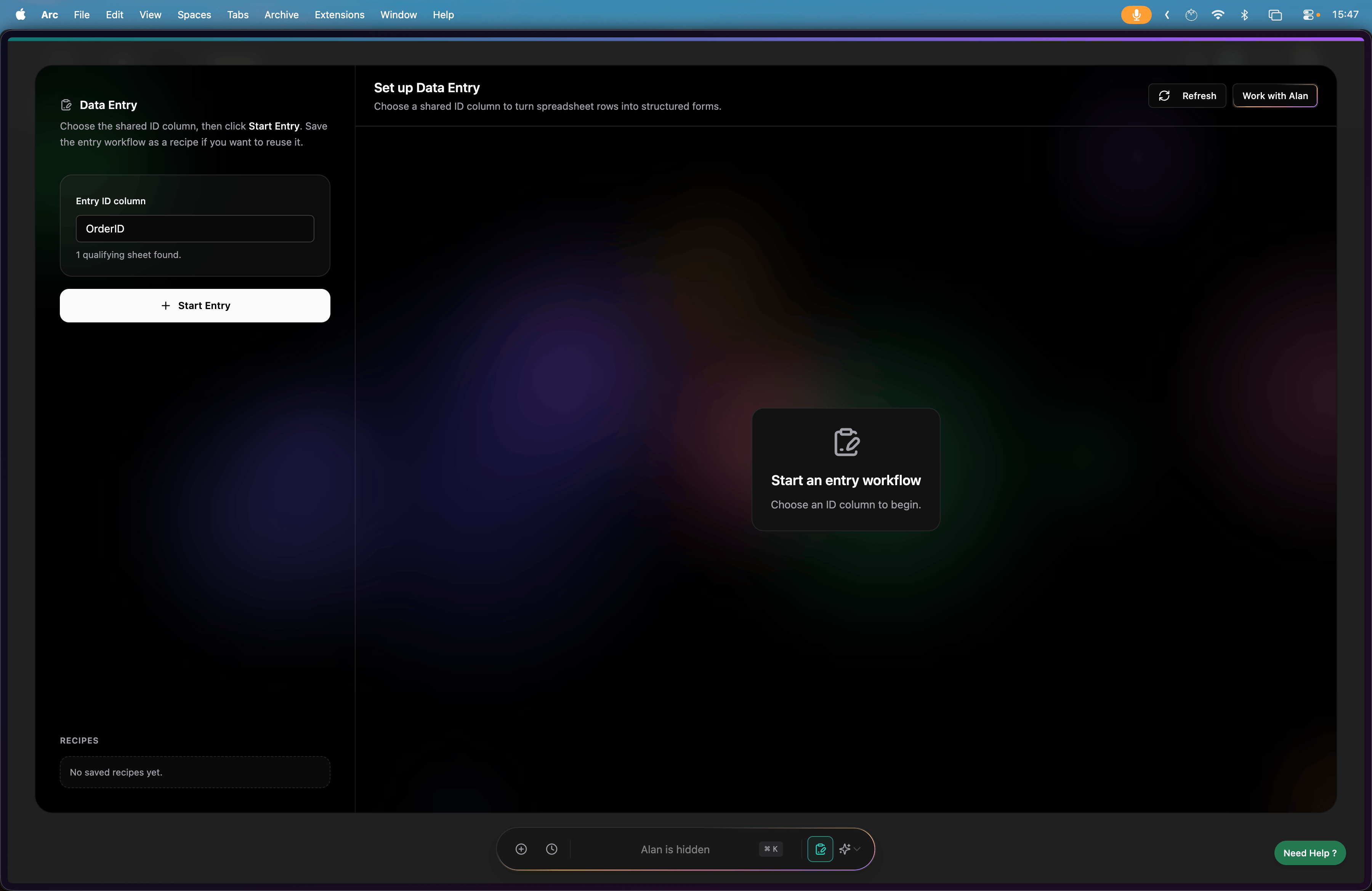
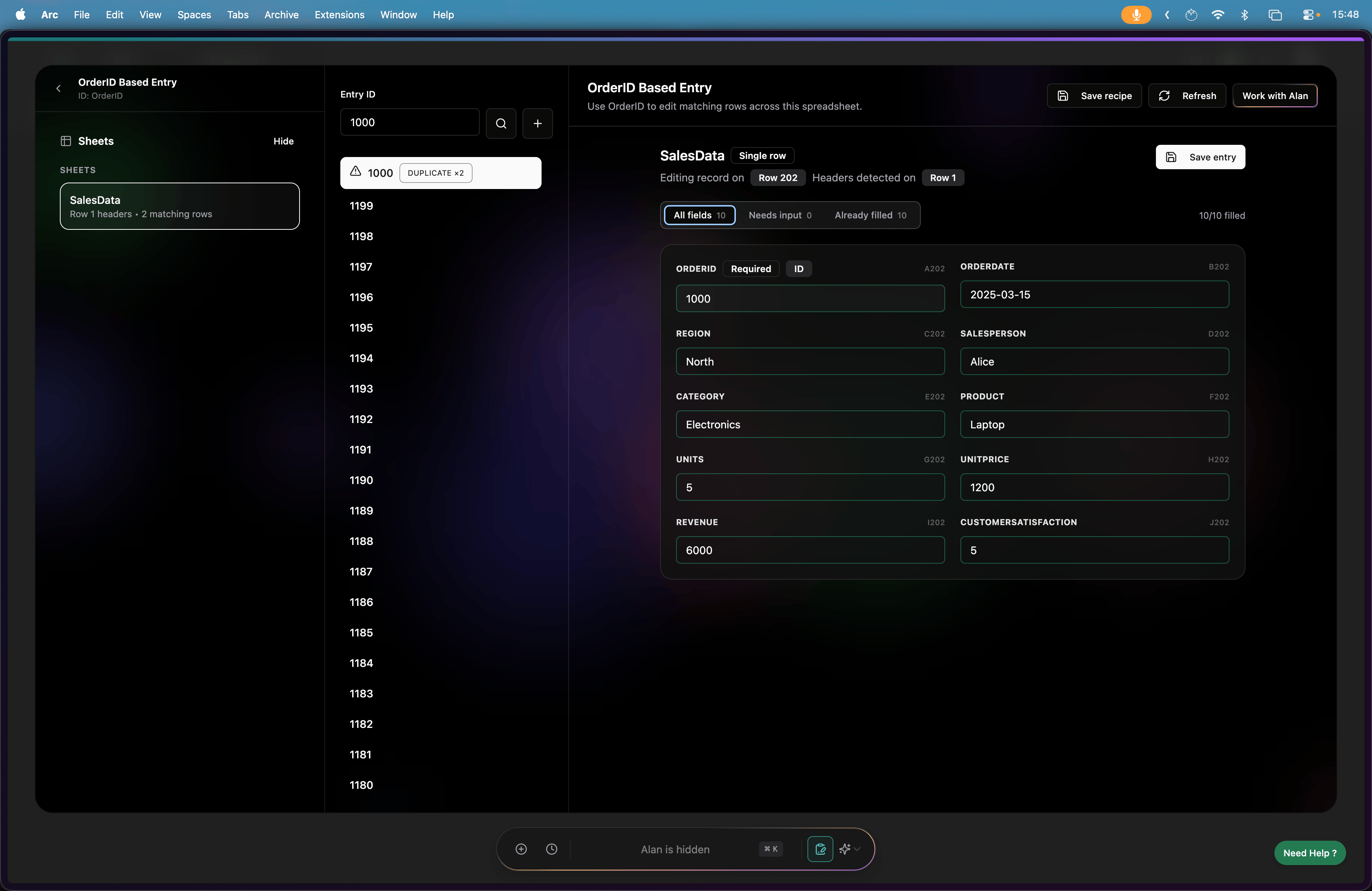
Choose the primary key for data entry
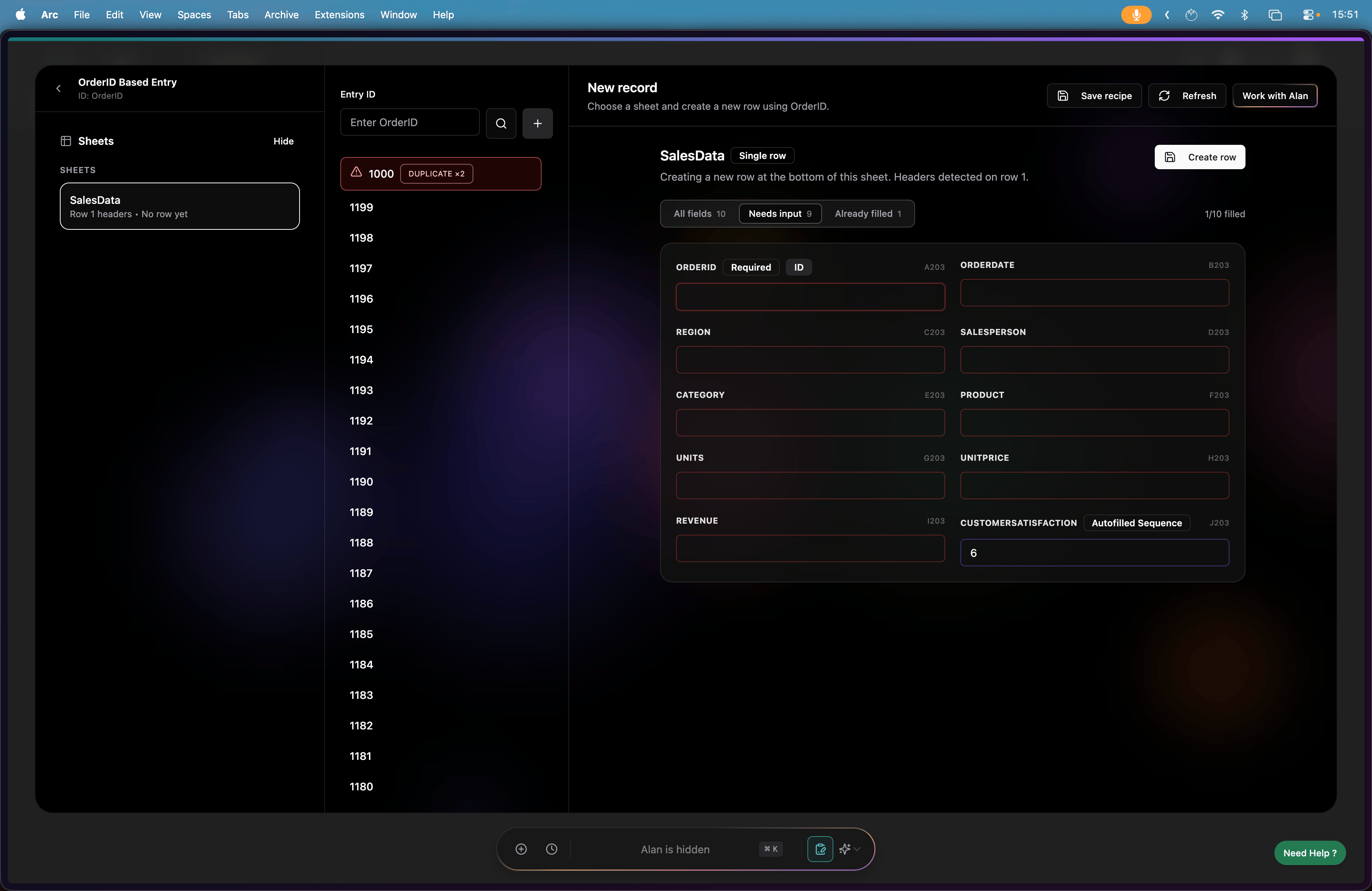
View all columns and spot duplicates before you add or edit rows.
View all columns and duplicates
Add a new column or new record while the entry workflow is open.
Add a new column in data entry
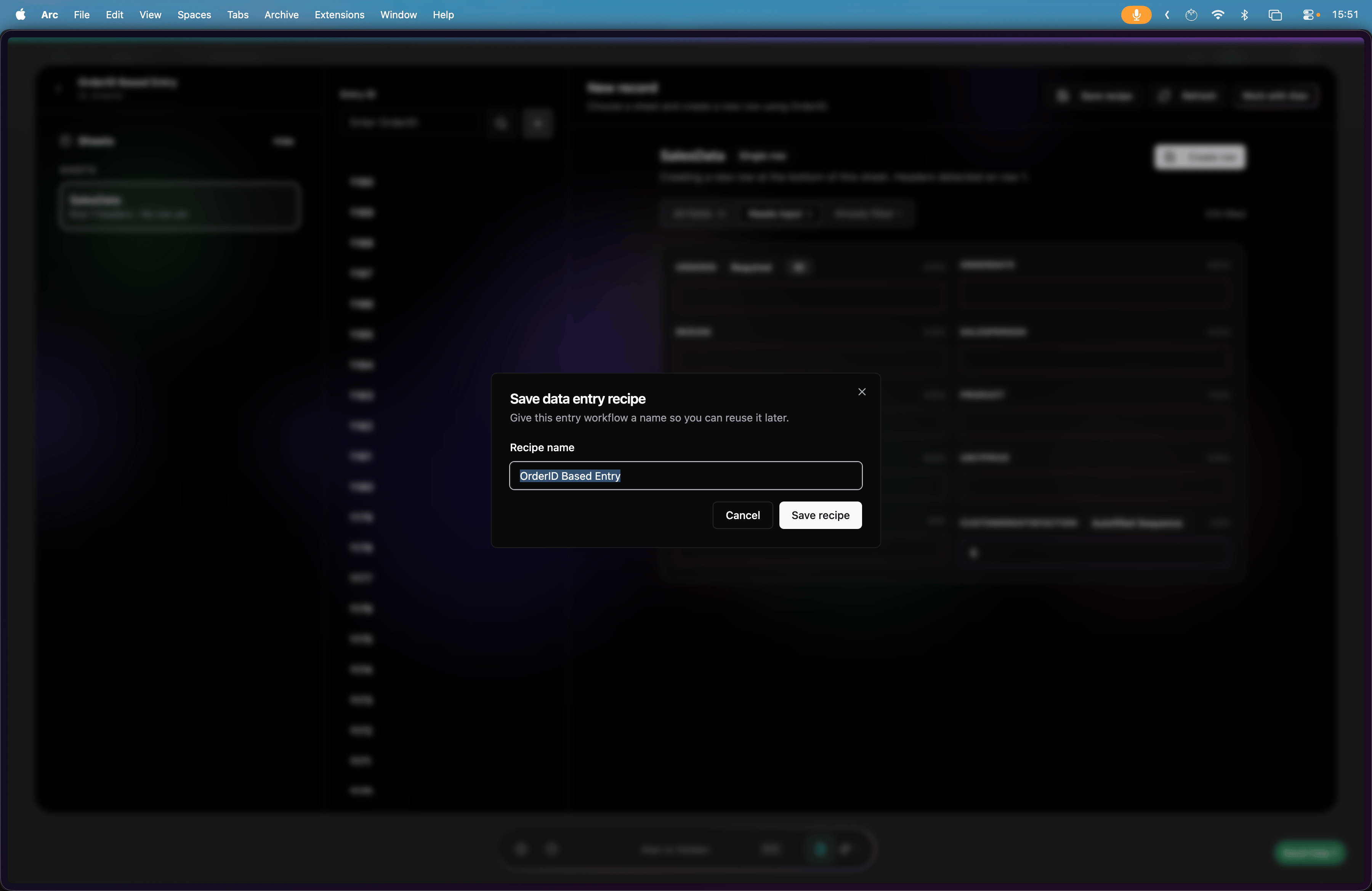
Save the workflow as a recipe so you can reuse the same unique column later.
Save a data entry recipe
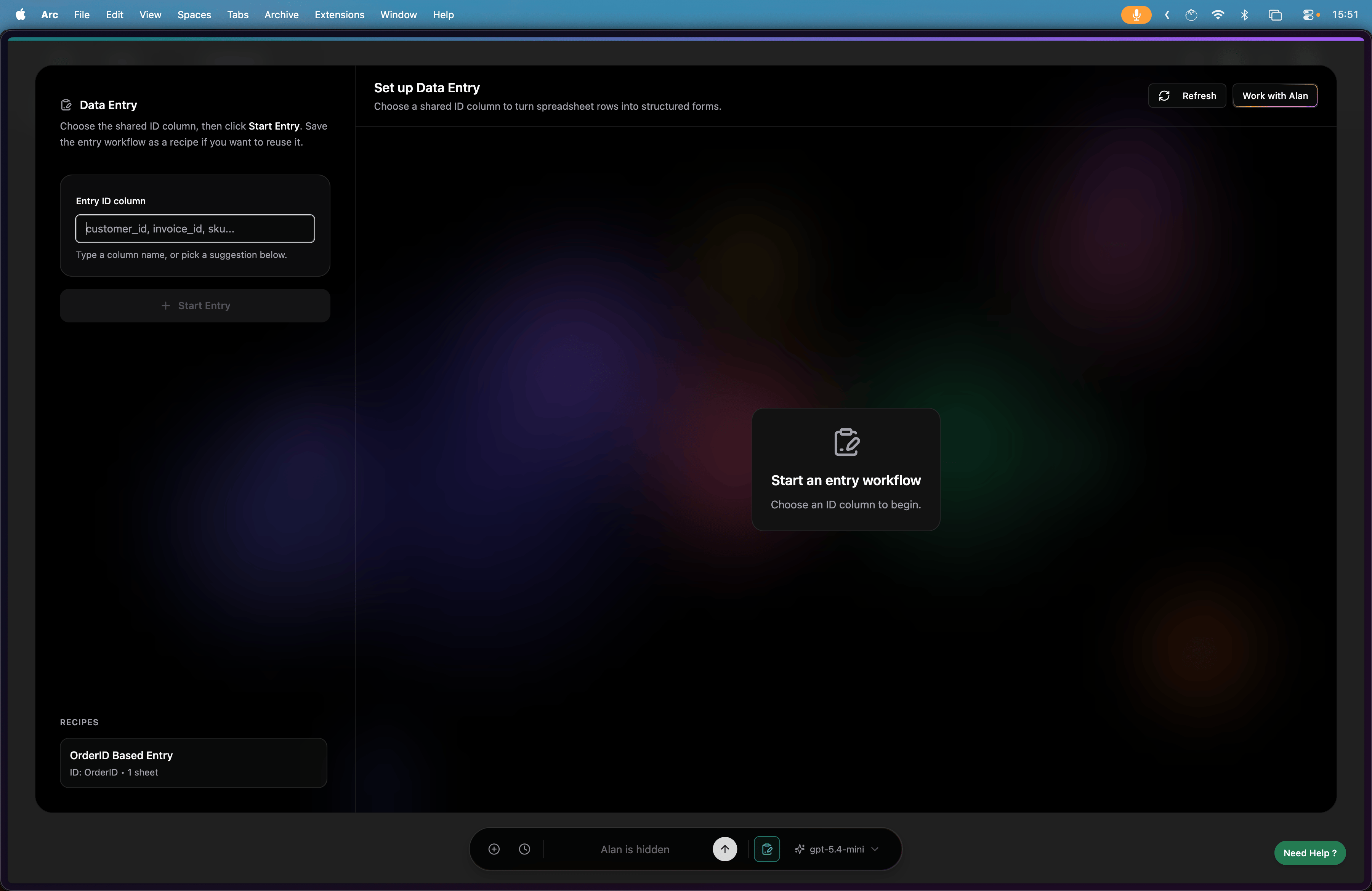
When you return to Data Entry, your saved recipes are ready to use.
View saved data entry recipes