> ## Documentation Index
> Fetch the complete documentation index at: https://docs.papermap.ai/llms.txt
> Use this file to discover all available pages before exploring further.
# Create a private worker
> Register typed Python functions as governed tools over an outbound-only worker connection.
Workers keep database and API access inside your infrastructure. They make
outbound HTTPS requests to AIR; you do not expose an inbound worker port.
```bash theme={null}
python -m pip install papermap-air
```
Create `tools.py`:
```python theme={null}
from air import tool
@tool(timeout=30)
def lookup_order(order_id: str, context: dict) -> dict:
"""Look up an order for the current tenant."""
tenant_id = context["tenant_id"]
# Query your system and verify the order belongs to tenant_id.
return {
"order_id": order_id,
"tenant_id": tenant_id,
"status": "shipped",
}
```
Type annotations become the JSON input schema. The first docstring line is
the description shown during review. Every tool must return a dictionary.
Open **Settings**, select **Issue worker key**, and store the value in an
environment variable or secret manager.
 ```bash theme={null}
export AIR_BASE_URL="https://dev.airapi.papermap.ai"
export AIR_WORKER_KEY=""
export AIR_WORKER_ENV="staging"
air worker start --module tools
```
The process registers its manifest and begins long-polling for tool calls.
Open **Tools**. A newly discovered capability starts **awaiting approval**;
registration never grants permission by itself.
```bash theme={null}
export AIR_BASE_URL="https://dev.airapi.papermap.ai"
export AIR_WORKER_KEY=""
export AIR_WORKER_ENV="staging"
air worker start --module tools
```
The process registers its manifest and begins long-polling for tool calls.
Open **Tools**. A newly discovered capability starts **awaiting approval**;
registration never grants permission by itself.
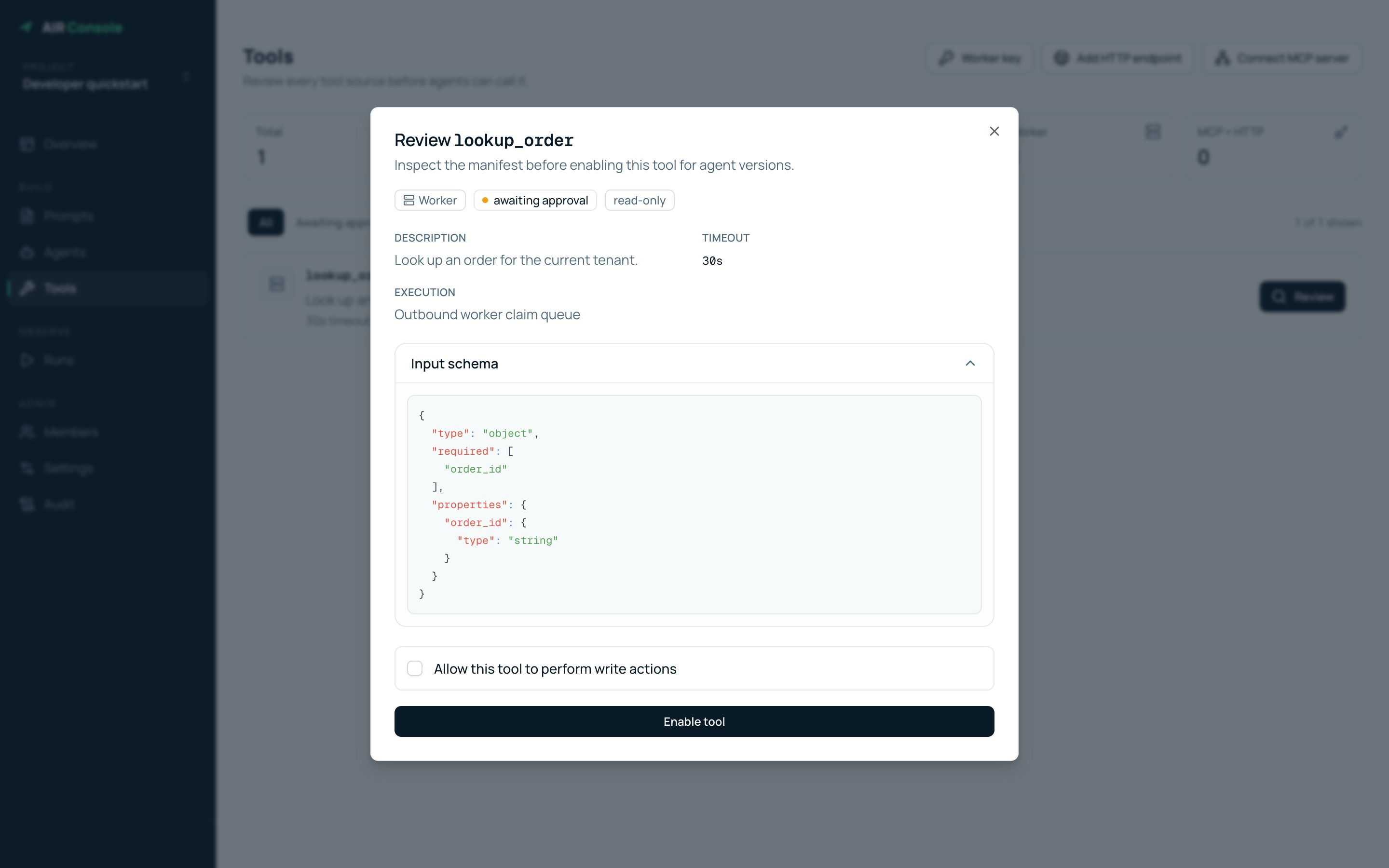
 Select **Review**. Confirm the source, description, timeout, generated input
schema, and whether it needs write access. Then select **Enable tool**.
Select **Review**. Confirm the source, description, timeout, generated input
schema, and whether it needs write access. Then select **Enable tool**.
 Create a new agent version, open **Advanced — fallback models, tools, and
limits**, add `lookup_order`, test the version, and activate it. Enabling a
project tool does not automatically add it to existing agent versions.
Registration answers “what can this worker do?” Tool approval answers “does
this project trust it?” The agent version answers “may this agent call it?”
Create a new agent version, open **Advanced — fallback models, tools, and
limits**, add `lookup_order`, test the version, and activate it. Enabling a
project tool does not automatically add it to existing agent versions.
Registration answers “what can this worker do?” Tool approval answers “does
this project trust it?” The agent version answers “may this agent call it?”