> ## Documentation Index
> Fetch the complete documentation index at: https://docs.papermap.ai/llms.txt
> Use this file to discover all available pages before exploring further.
# Papermap AIR
> Build governed AI agents and connect private tools without opening your infrastructure to inbound traffic.
Papermap Agentic Infrastructure Runtime (AIR) hosts your agent loop, prompts,
models, policy, traces, and run state. Your private tools stay close to your
systems in outbound-only workers.
Create a project, activate an agent, and inspect its first successful run.
Turn typed Python functions into governed AIR tools.
Start, wait for, inspect, and cancel runs with the Python SDK.
Reference `AirClient`, workers, tools, errors, and environment variables.
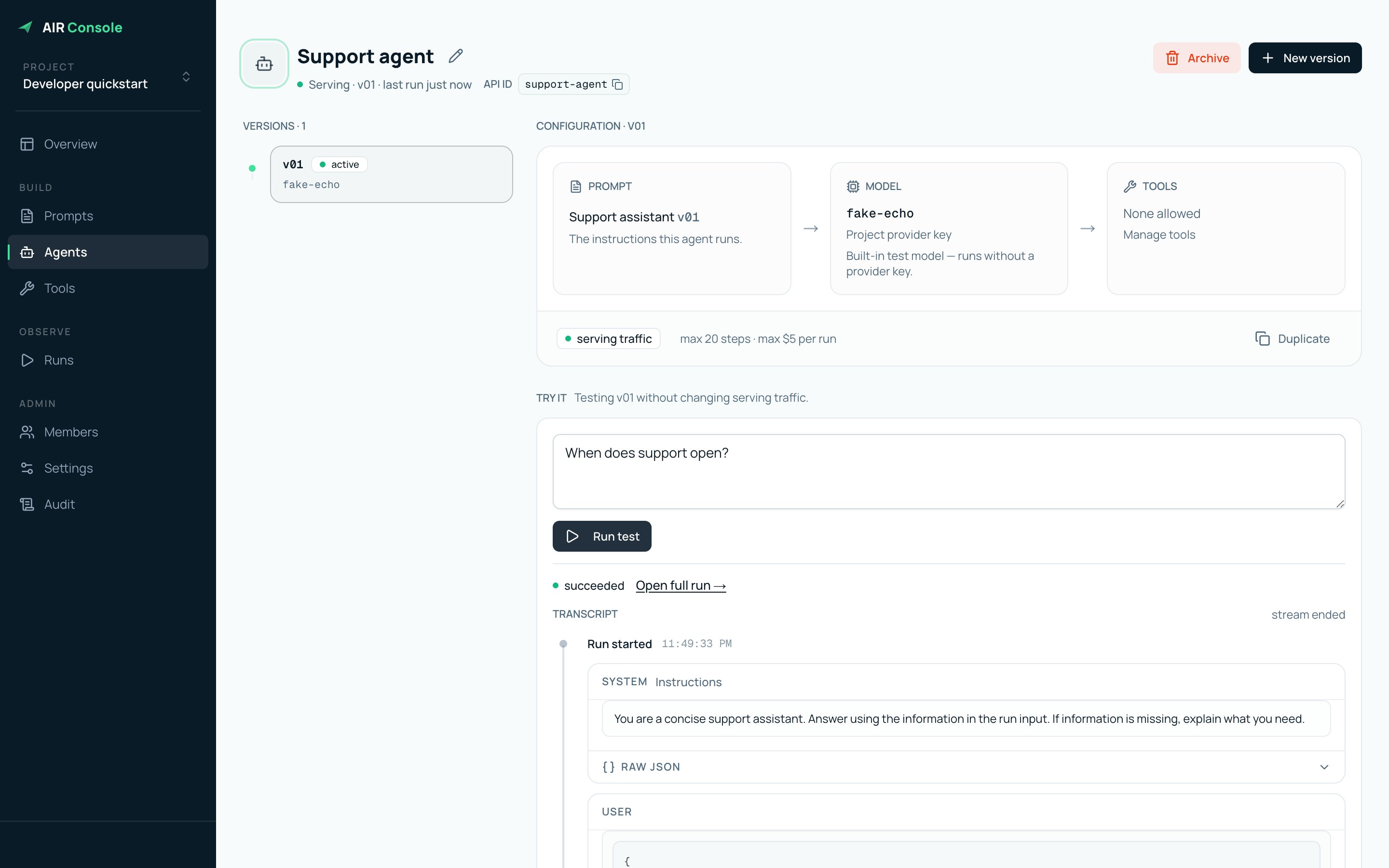 Select any screenshot in these guides to open the full-resolution view.
## One runtime, two connections
```text theme={null}
Your application -- app key --> AIR -- model --> result
|
| queued tool call
v
Your worker <--- outbound claim --+--- worker key
|
+--> your database, APIs, and local MCP servers
```
* Your **application** creates runs with an app key.
* AIR executes the active agent version and records its trace.
* Your **worker** connects outbound with a worker key and executes approved tools.
Staging console: [dev.air.papermap.ai](https://dev.air.papermap.ai). Staging
API: `https://dev.airapi.papermap.ai`.
Start with the [visual quickstart](/air/quickstart). It walks through the same
screens you will use in the console and ends with a real run trace.
Select any screenshot in these guides to open the full-resolution view.
## One runtime, two connections
```text theme={null}
Your application -- app key --> AIR -- model --> result
|
| queued tool call
v
Your worker <--- outbound claim --+--- worker key
|
+--> your database, APIs, and local MCP servers
```
* Your **application** creates runs with an app key.
* AIR executes the active agent version and records its trace.
* Your **worker** connects outbound with a worker key and executes approved tools.
Staging console: [dev.air.papermap.ai](https://dev.air.papermap.ai). Staging
API: `https://dev.airapi.papermap.ai`.
Start with the [visual quickstart](/air/quickstart). It walks through the same
screens you will use in the console and ends with a real run trace.